

Scheduled Evaluation Details
Clicking any evaluation in the meta box list opens this read-only details panel, which also provides access to editing and feedback.
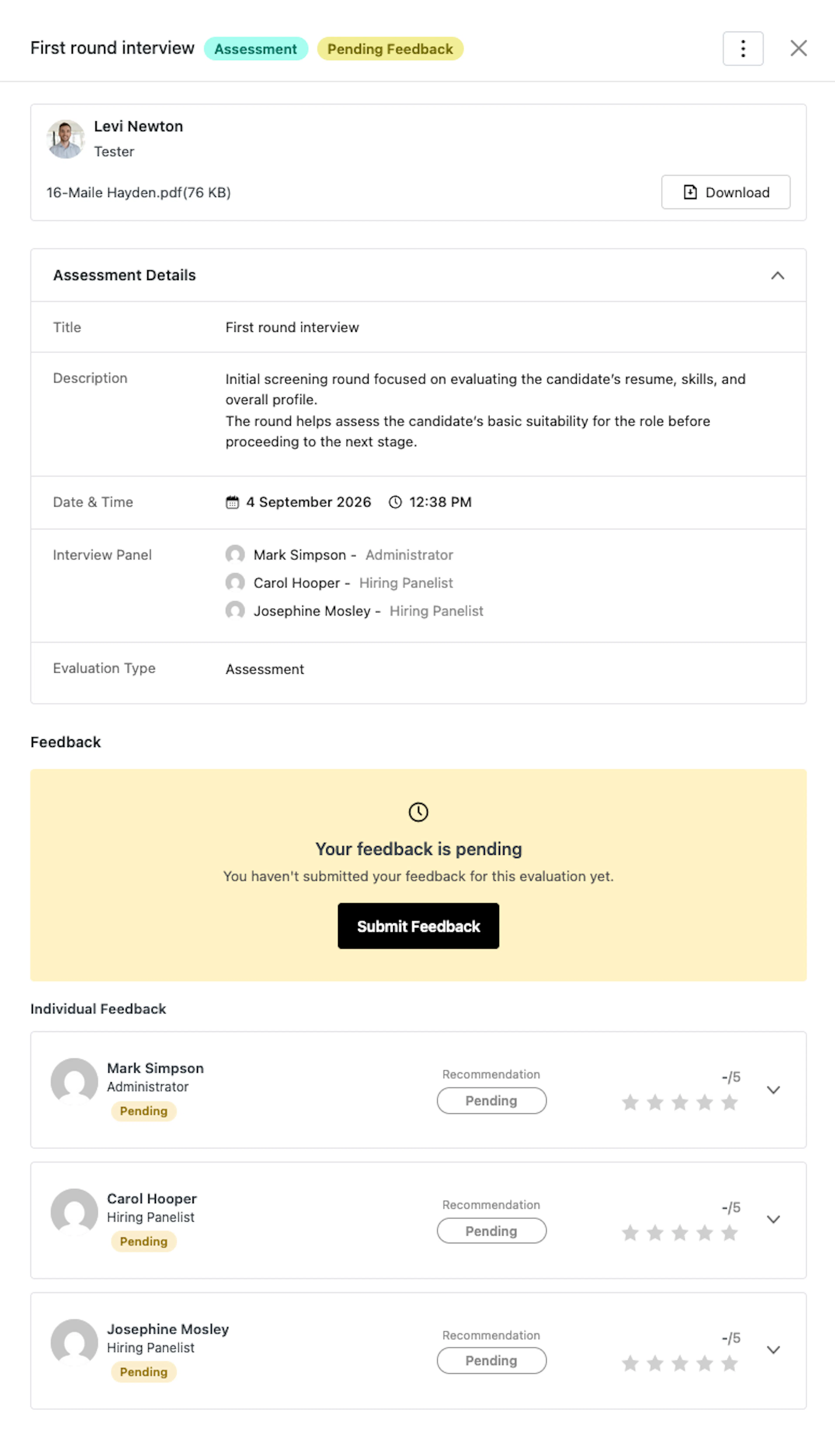
Header
- Title, Type Badge, Status Pill: Identify the evaluation and its current state at a glance (e.g. Scheduled, Rescheduled, Completed, Cancelled).
- ⋯ Actions Menu: Visible only to recruitment managers, offering Edit Evaluation, Reschedule, and Cancel.
- The menu itself disappears once the evaluation is Cancelled or Completed — there's nothing left to change.
- Reschedule and Cancel disappear as soon as any evaluator has submitted feedback, since changing the details afterward would leave that feedback scored against information that no longer matches.
Evaluation Details
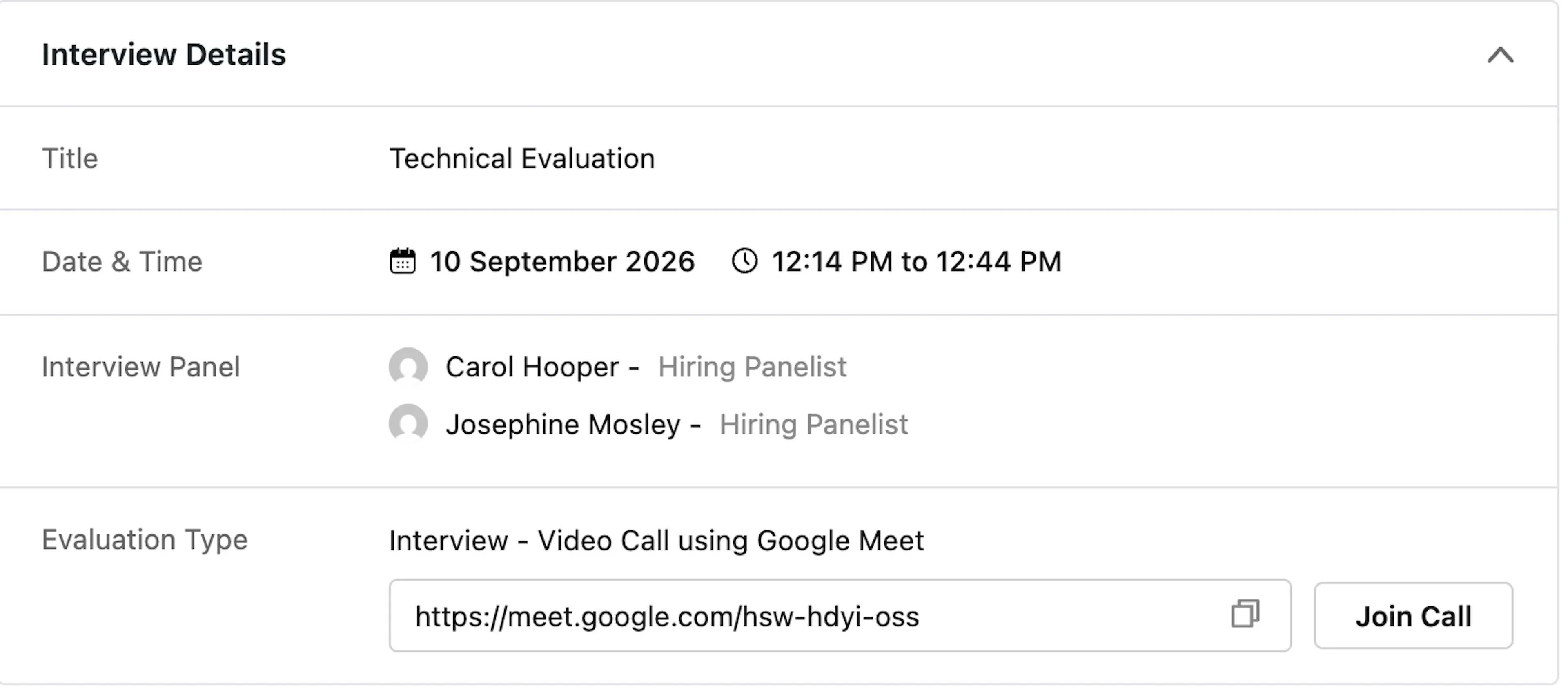
An expandable card summarizing what was scheduled:
- Title / Description: As entered when scheduling.
- Date & Time: The scheduled date and time range.
- Interview Panel: The list of assigned evaluators.
- Evaluation Type: Shows the method — e.g. "Interview - Video Call using Zoom" or "Interview - In person".
- For a video call: a copyable Meeting URL and a Join Call button (disabled with a tooltip once the interview's end time has passed).
- For in-person: the interview location.
Cancellation Details
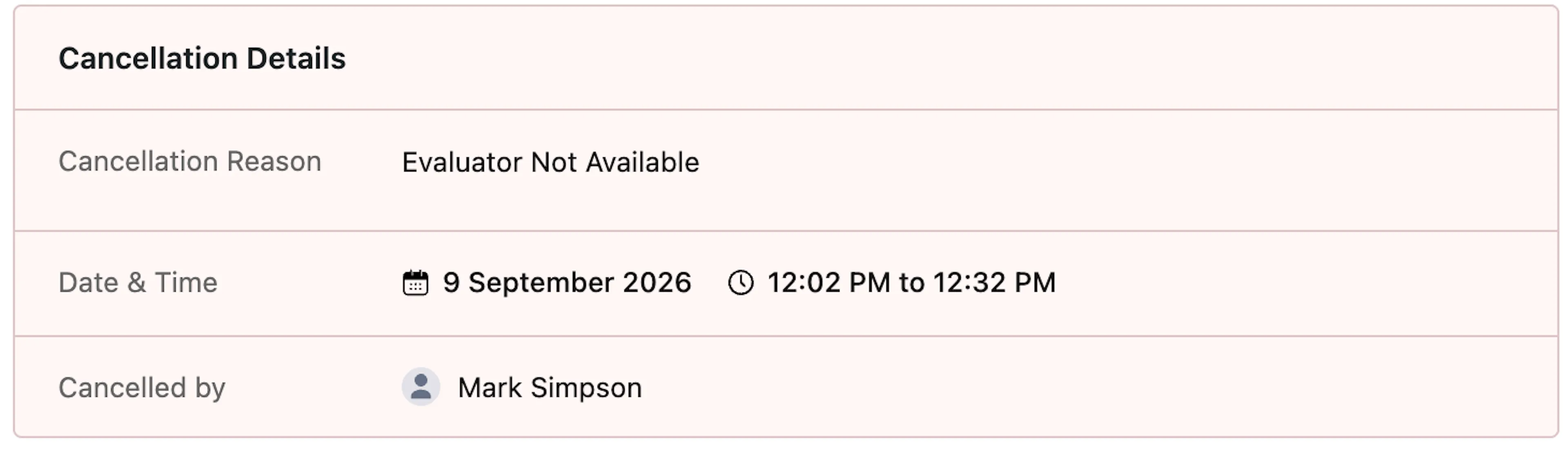
Shown only if the evaluation was cancelled:
- Cancellation Reason: The reason entered at the time of cancellation.
- Date & Time: The evaluation's originally scheduled date and time.
- Cancelled by: The name of the person who cancelled it.
Feedback
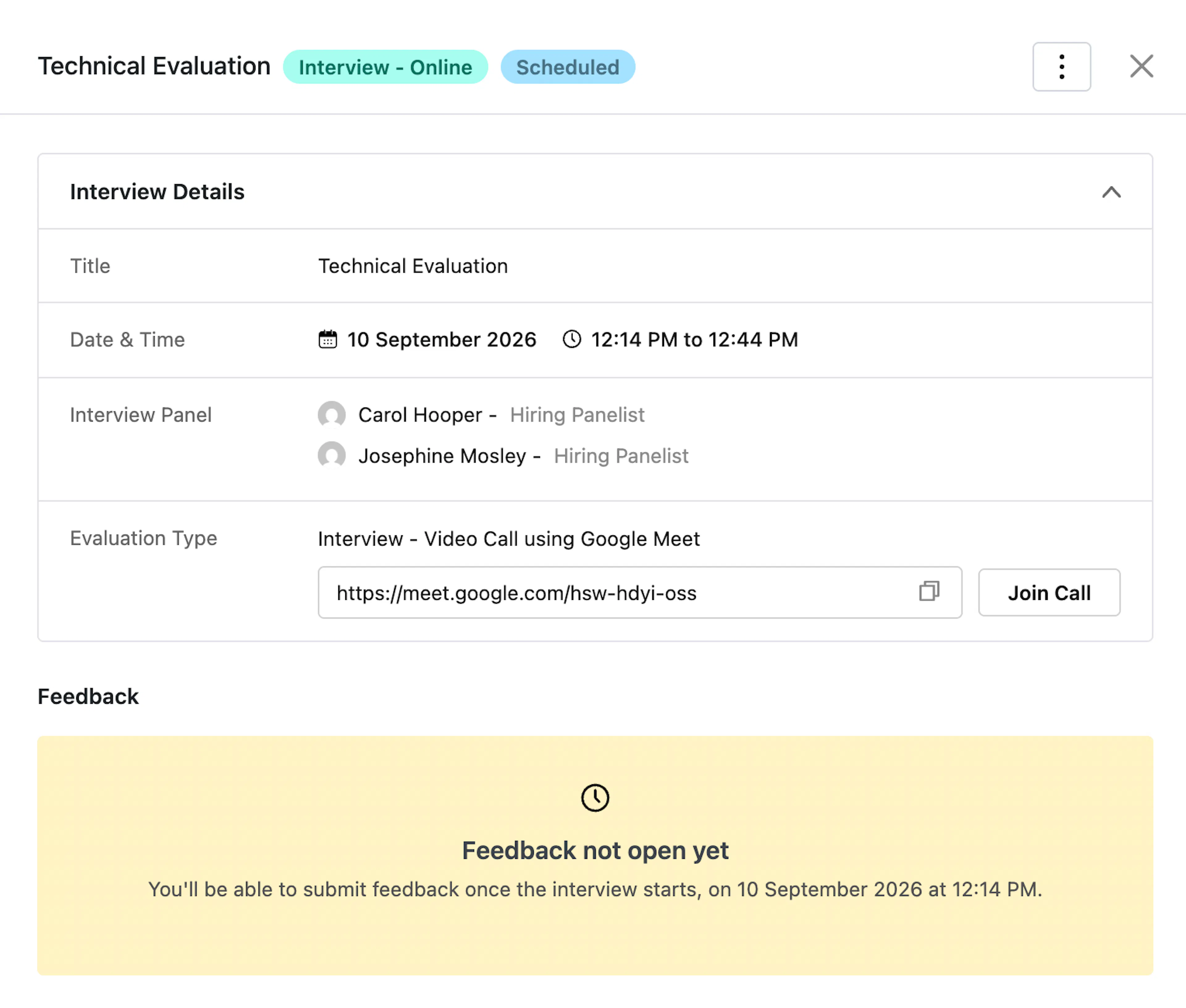
What appears here depends on your role, whether you're assigned to this evaluation, the Feedback Visibility setting (see Settings > General), and whether the evaluation's scheduled time has started:
- Feedback not open yet: Shown before the evaluation's start time — no one can submit feedback until then.
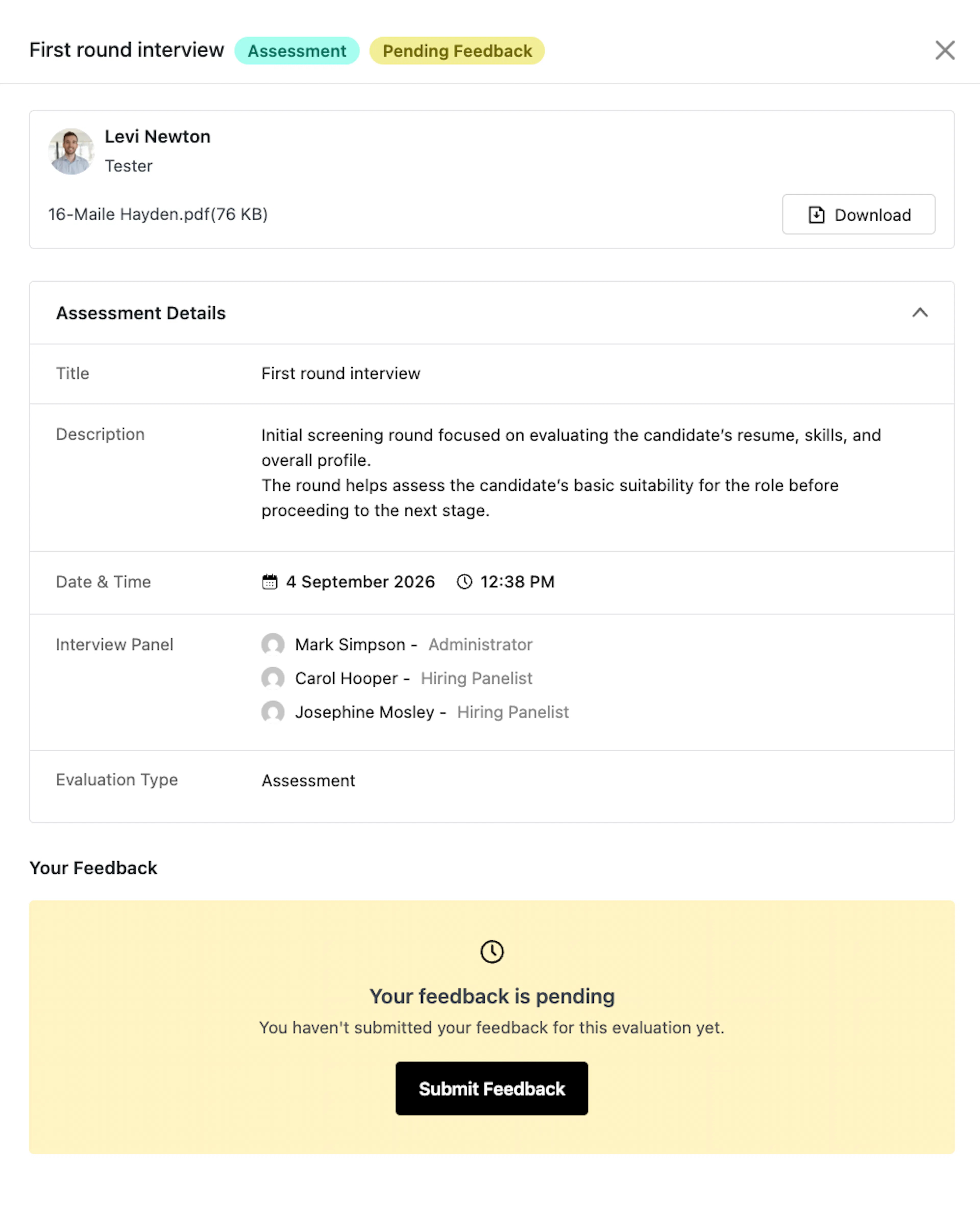
- Your feedback is pending: Shown to an assigned evaluator who hasn't submitted yet, once the window is open, with a Submit Feedback button.
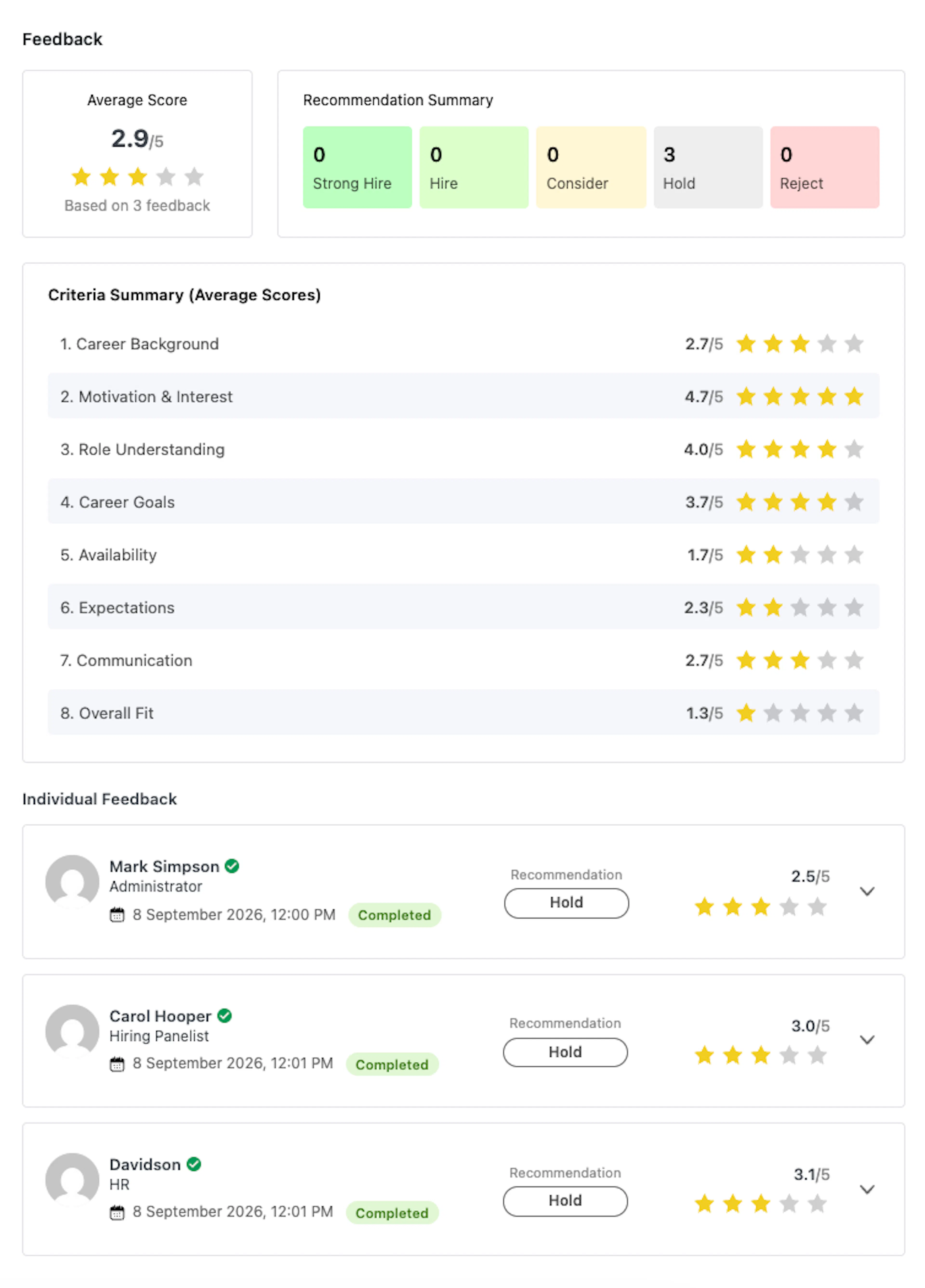
- Average Score and Recommendation Summary: Shown once at least one evaluator has submitted, summarizing the overall score and the spread of recommendations (Strong Hire, Hire, Consider, Hold, Reject).
- Criteria Summary (Average Scores): The average score per criterion across all submitted feedback.
- Individual Feedback: An expandable row per evaluator, showing a Criteria / Score / Comments table, the evaluator's overall recommendation, and their overall comment. A criterion marked N/A by the evaluator is shown as such rather than as a
0/5score. An evaluator who hasn't submitted yet shows as Pending with no score.
Note: Depending on the Feedback Visibility setting, a Hiring Panelist may see only their own feedback (labeled Your Feedback instead of Feedback) rather than the full summary and everyone else's submissions — recruitment managers always see everything, even for evaluations they're personally assigned to.
Was this page helpful?