

Settings
Available to users with the required plugin management permissions.
This section contains three sub-tabs:
- General
- Scoreboards
- Notifications
General
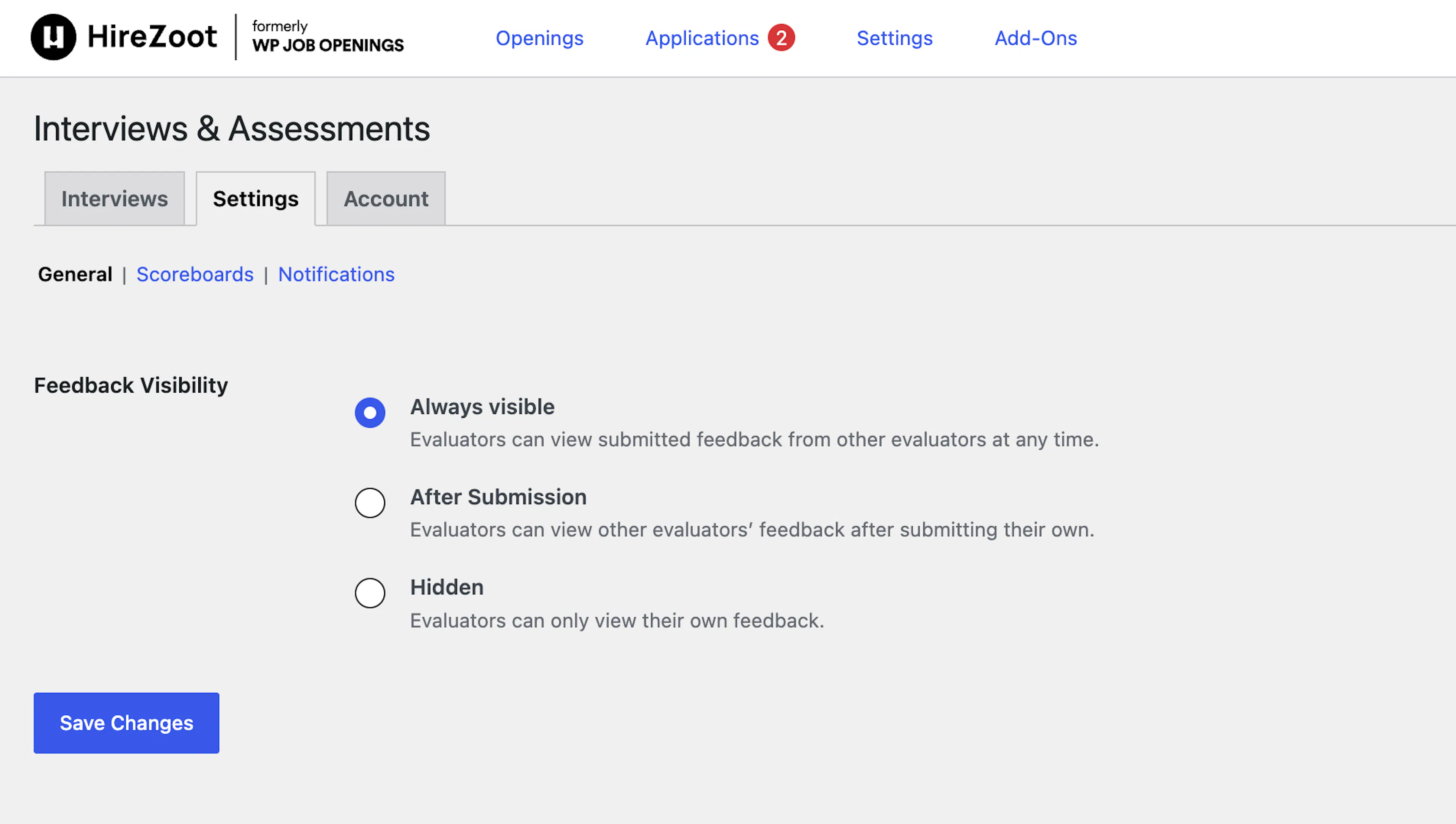
- Feedback Visibility: Controls whether hiring panelists can see each other's feedback on an evaluation. Choose from:
- Always visible — evaluators can view other panelists' feedback at any time.
- After Submission — feedback becomes visible to other evaluators only after the viewer submits their own.
- Hidden — evaluators only ever see their own feedback.
Scoreboards
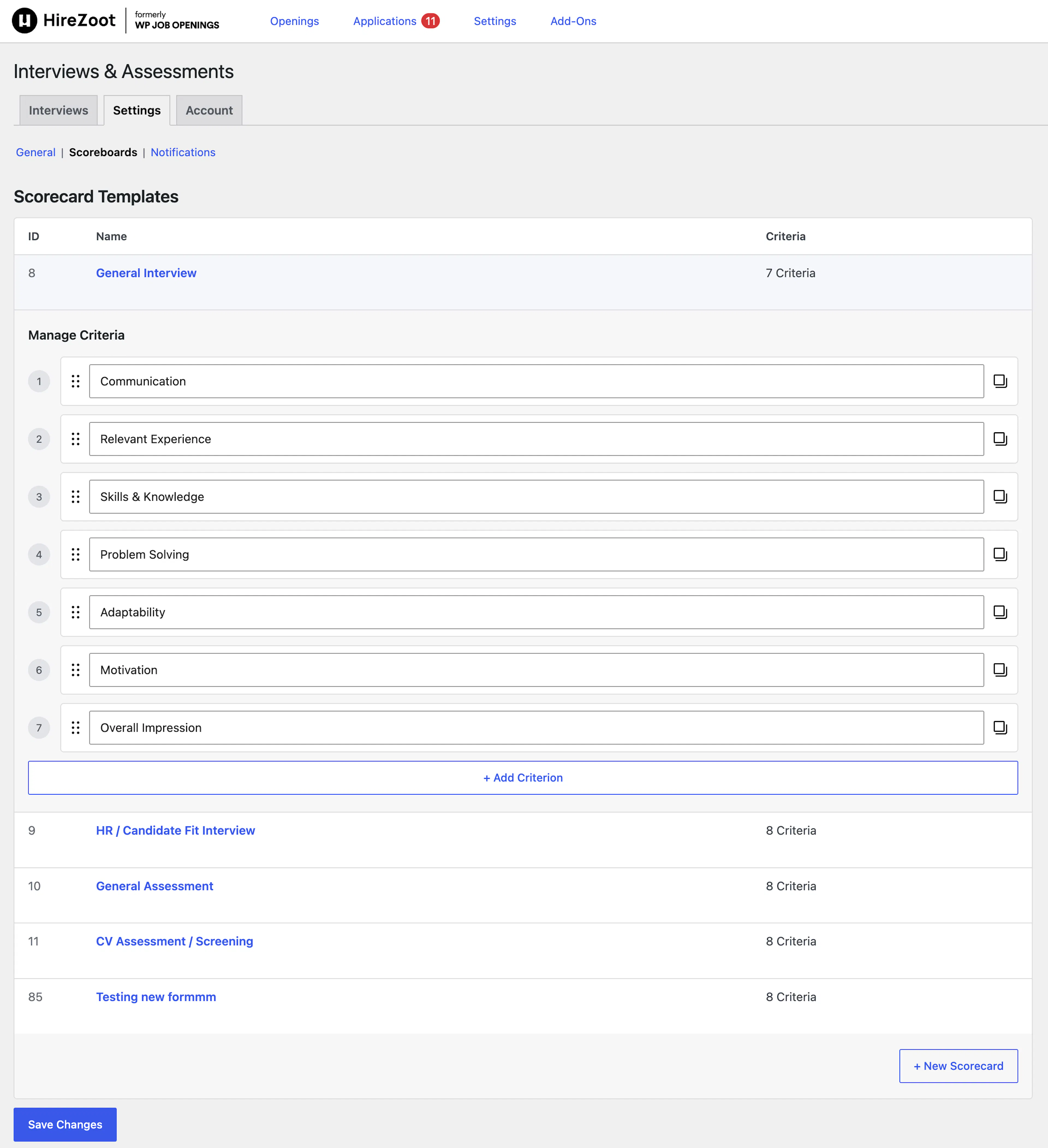
- Evaluation Forms: Reusable scorecard templates attached to interviews and assessments. Each form lists a Form ID, Name, and number of Questions.
- New Form: Creates a new evaluation form with a title and an ordered list of questions.
- Edit / Duplicate / Delete: Available per form. Delete is disabled for the built-in default forms.
- Default Forms: Four forms are included out of the box — General Interview, HR / Candidate Fit Interview, General Assessment, and CV Assessment / Screening — each pre-filled with a standard set of questions.
Notifications
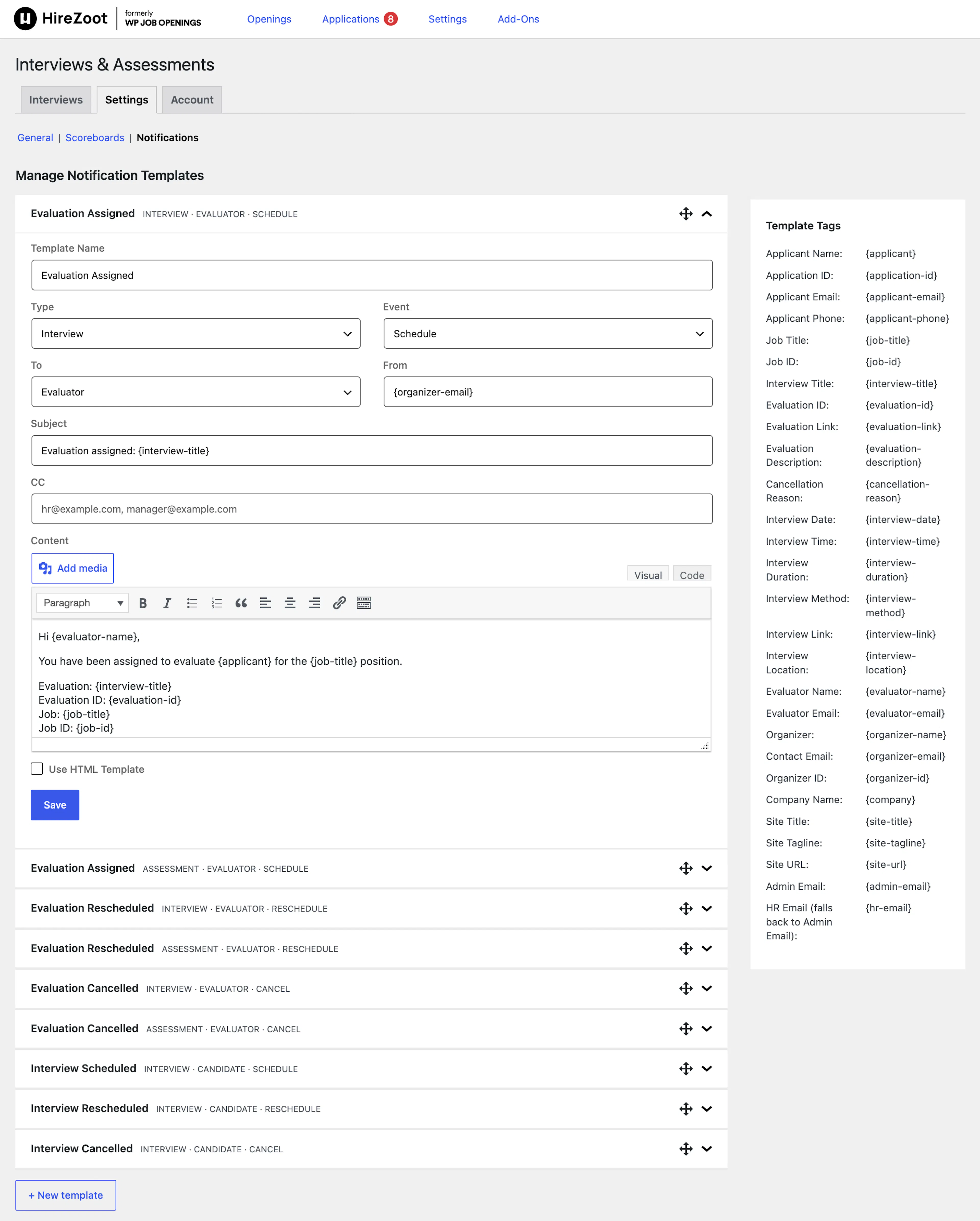
- Notification Templates: Email templates sent at each stage of the interview lifecycle, listed as an expandable accordion.
- Template Name: A label to identify the template.
- Type: Whether the template applies to an Interview or an Assessment.
- Event: Whether the template sends on Schedule, Reschedule, or Cancel.
- To: Whether the email goes to the Candidate or the Evaluator.
- From / Subject / CC: Standard email header fields.
- Content: A rich-text editor for the email body, with an option to Use HTML Template.
- Template Tags: A reference panel listing merge tags (candidate name, job title, interview date, evaluator, etc.) available for use in the subject or content.
- New template / Save / Delete template: Manage templates individually.
Account
Manages your license and plan. Kept separate from the Add-on's own configuration tabs.
Was this page helpful?