

View Application
Application View
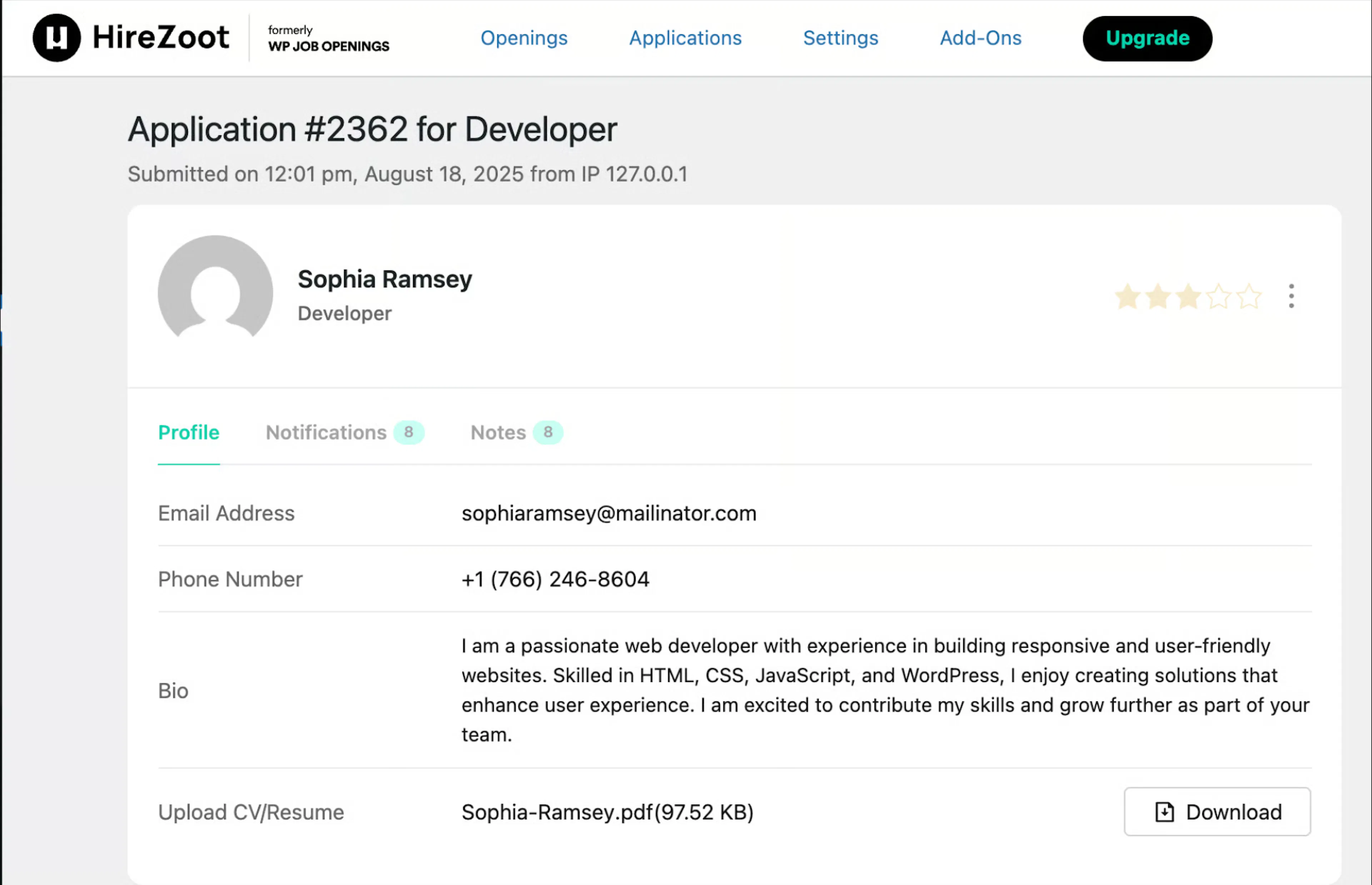
You can view the applicant details and download the resume.
Application View(PRO)
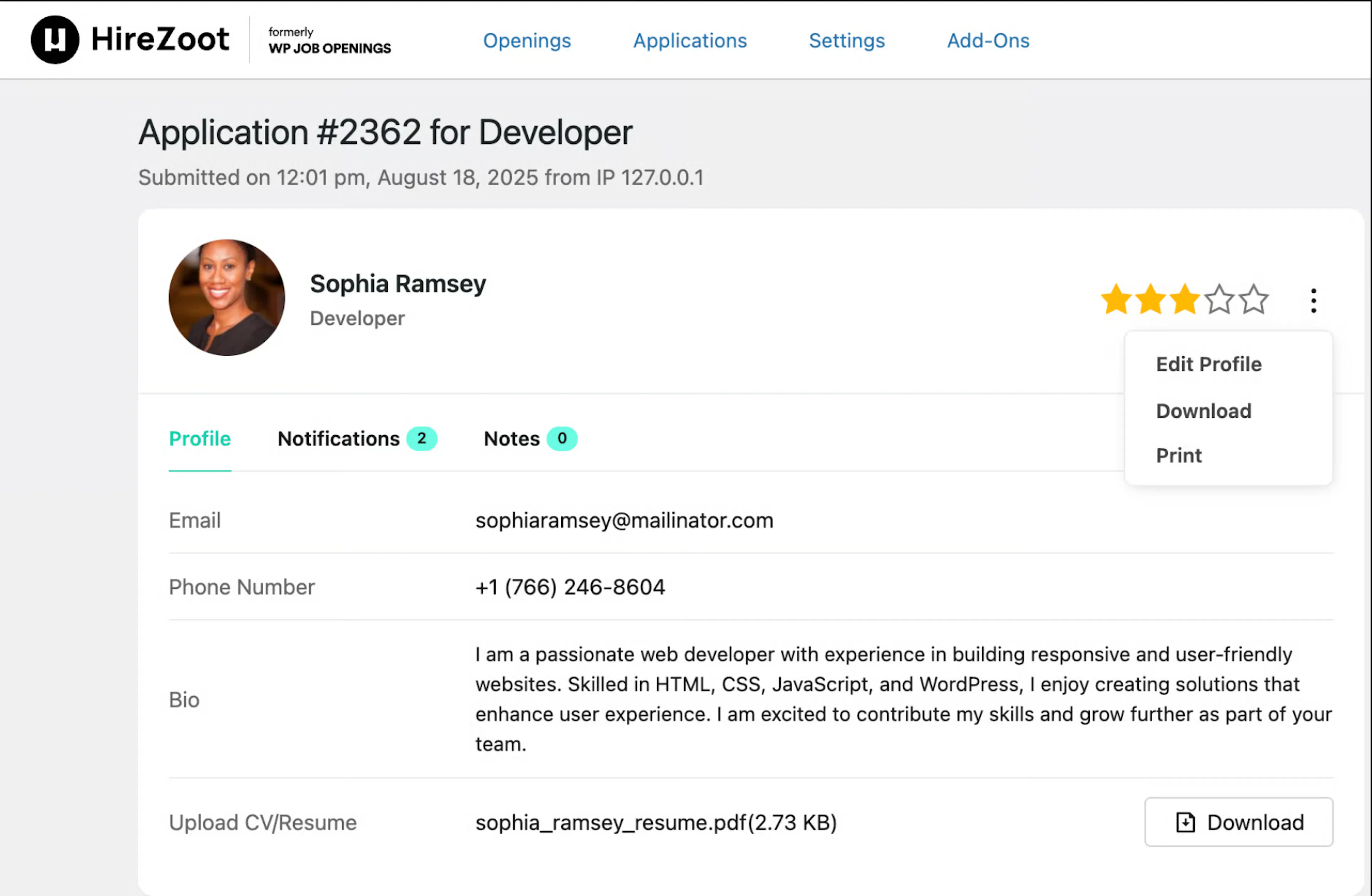
In the applicant profile view, you can find the following features:
-
Profile Tab – Displays the applicant's basic details, including email, phone number, bio, and uploaded CV/Resume with a download option.
-
Notifications Tab – Shows any notifications related to the applicant.
-
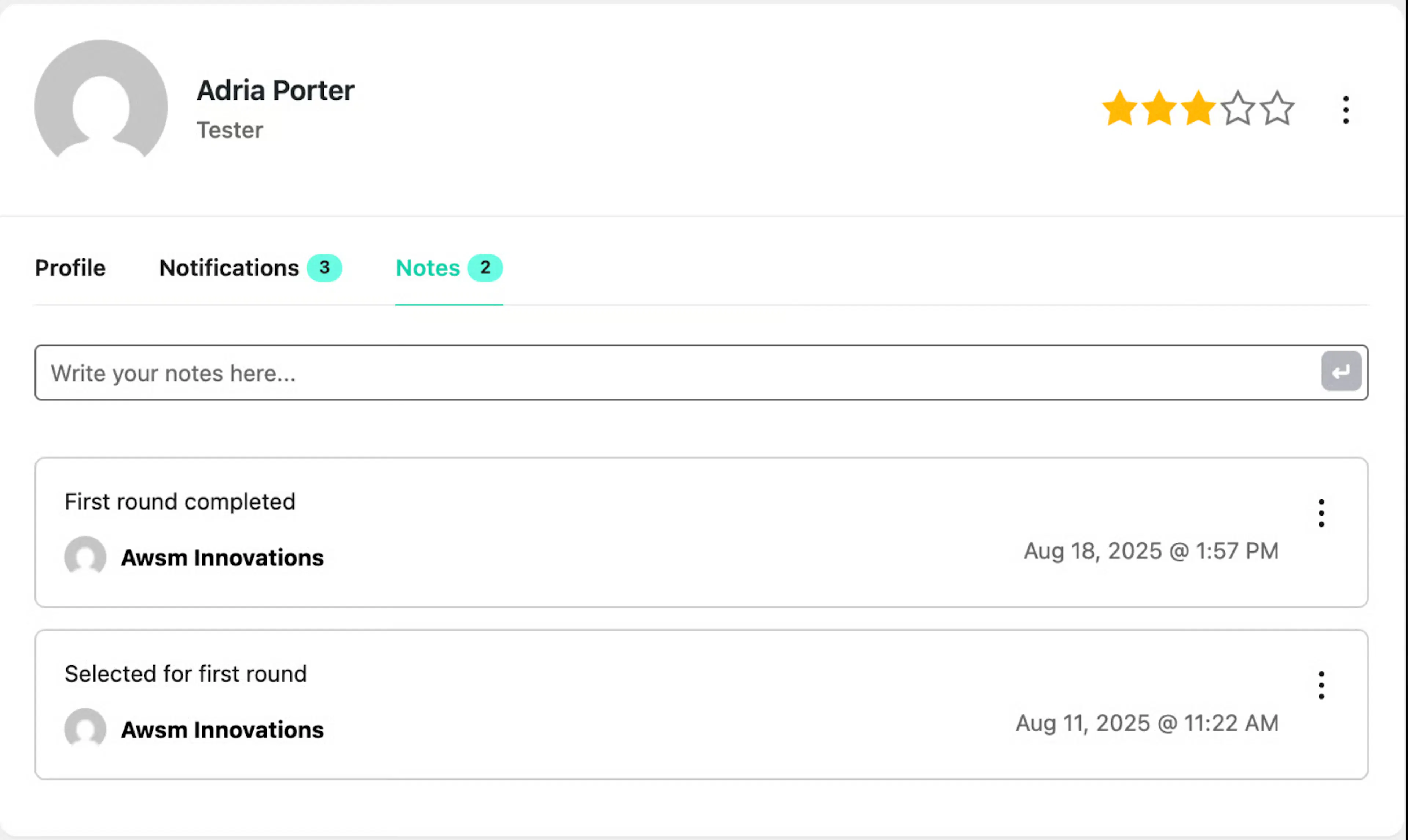
Notes Tab – Allows you to add and view notes regarding the applicant for internal reference.
In the top-right corner, you will see:
-
Rating Option – Rate the applicant using the star rating.
-
More Options Menu – Access additional actions:
-
Edit Profile – Modify the applicant's information.
-
Download – Download the applicant's profile details.
-
Print – Print the applicant's profile information.
-
Resume Preview
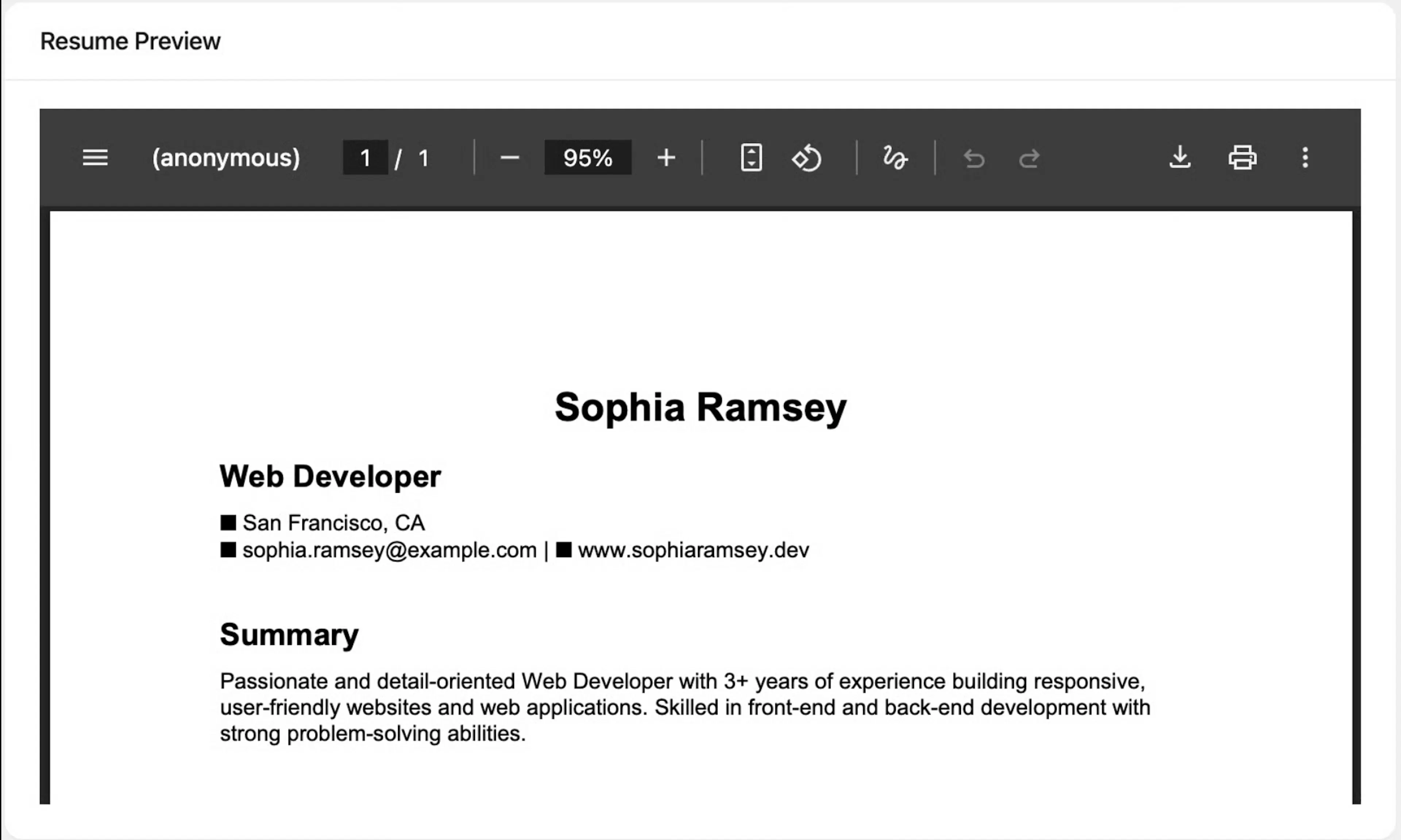
Here you can view the uploaded CV/Resume without downloading it.
Edit Application(PRO)
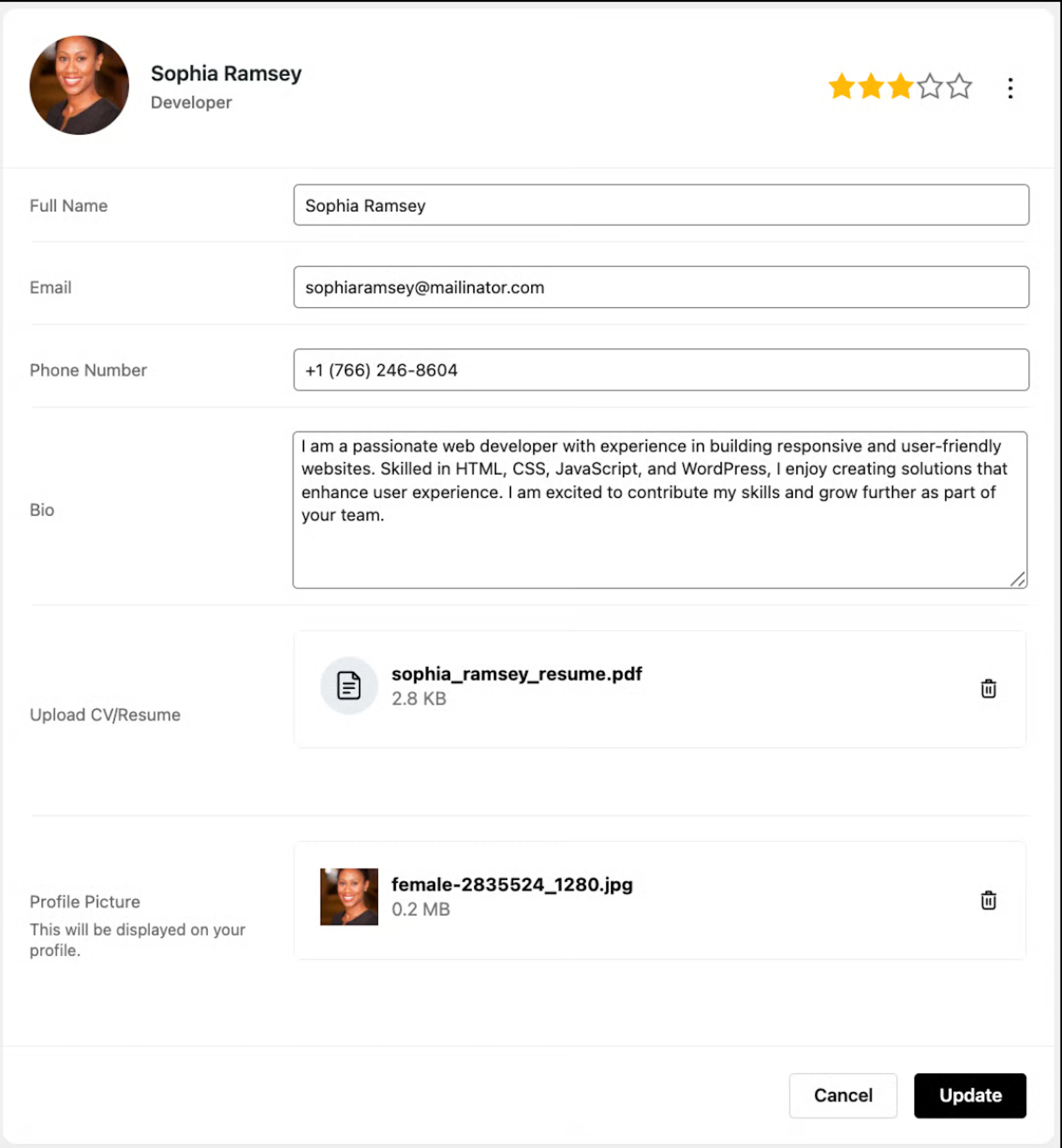
You can edit the profile details submitted by the applicant to update or correct any information as needed.
Job Details
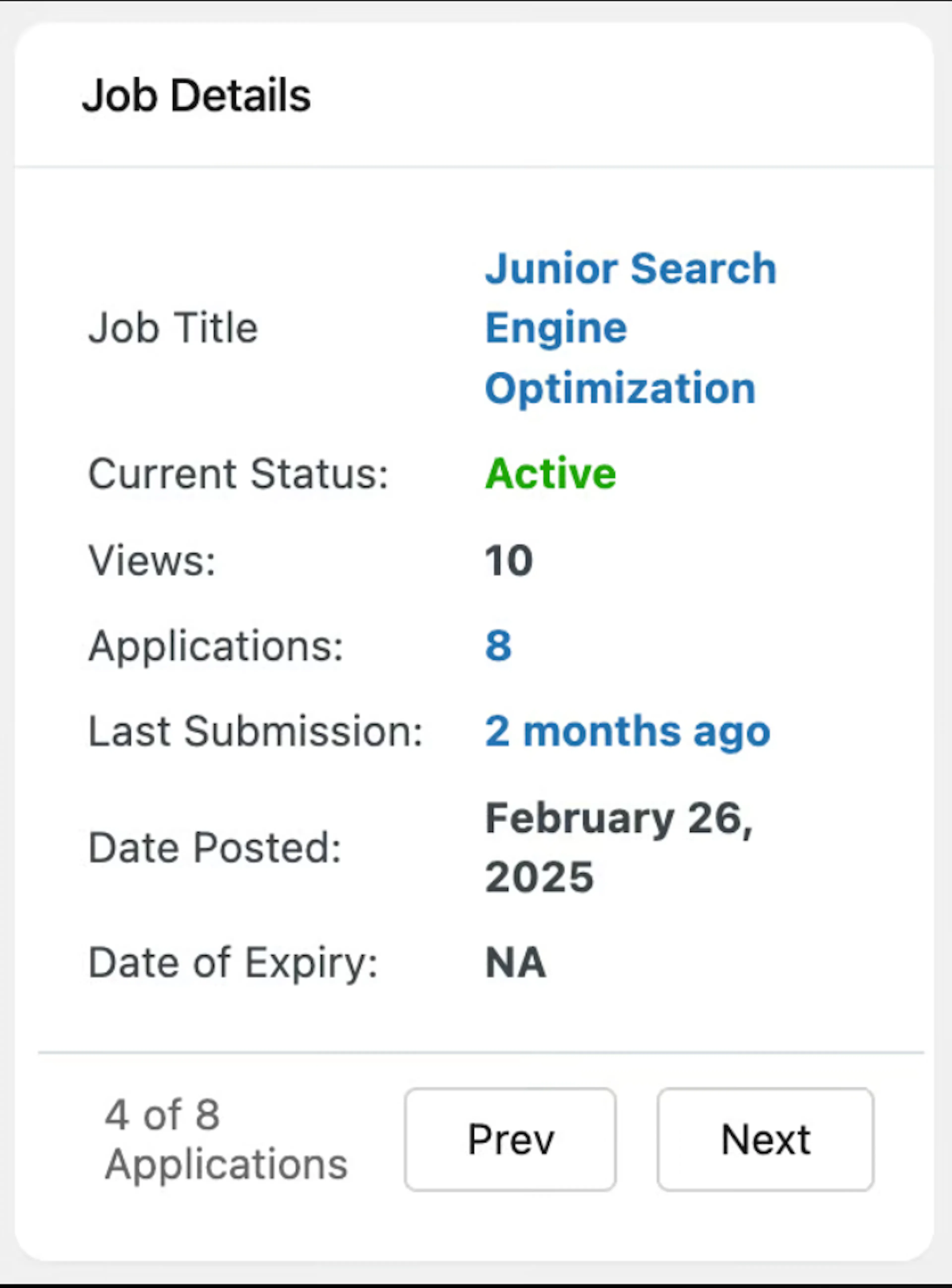
You can view the details of the applied job and navigate to the next applications.
Job Details(PRO)
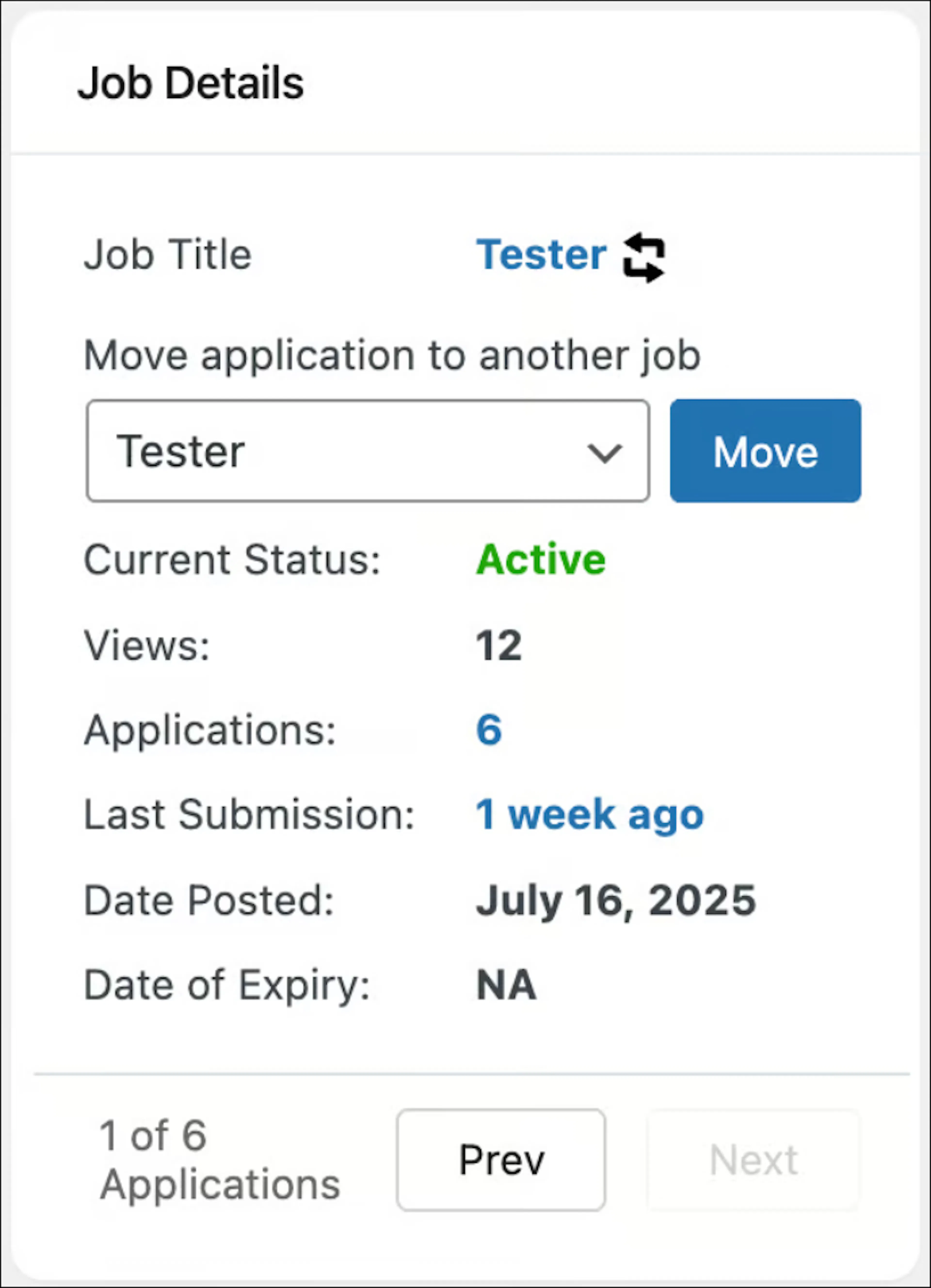
Here you have the option to move an application to another job posting.
Application Actions(PRO)
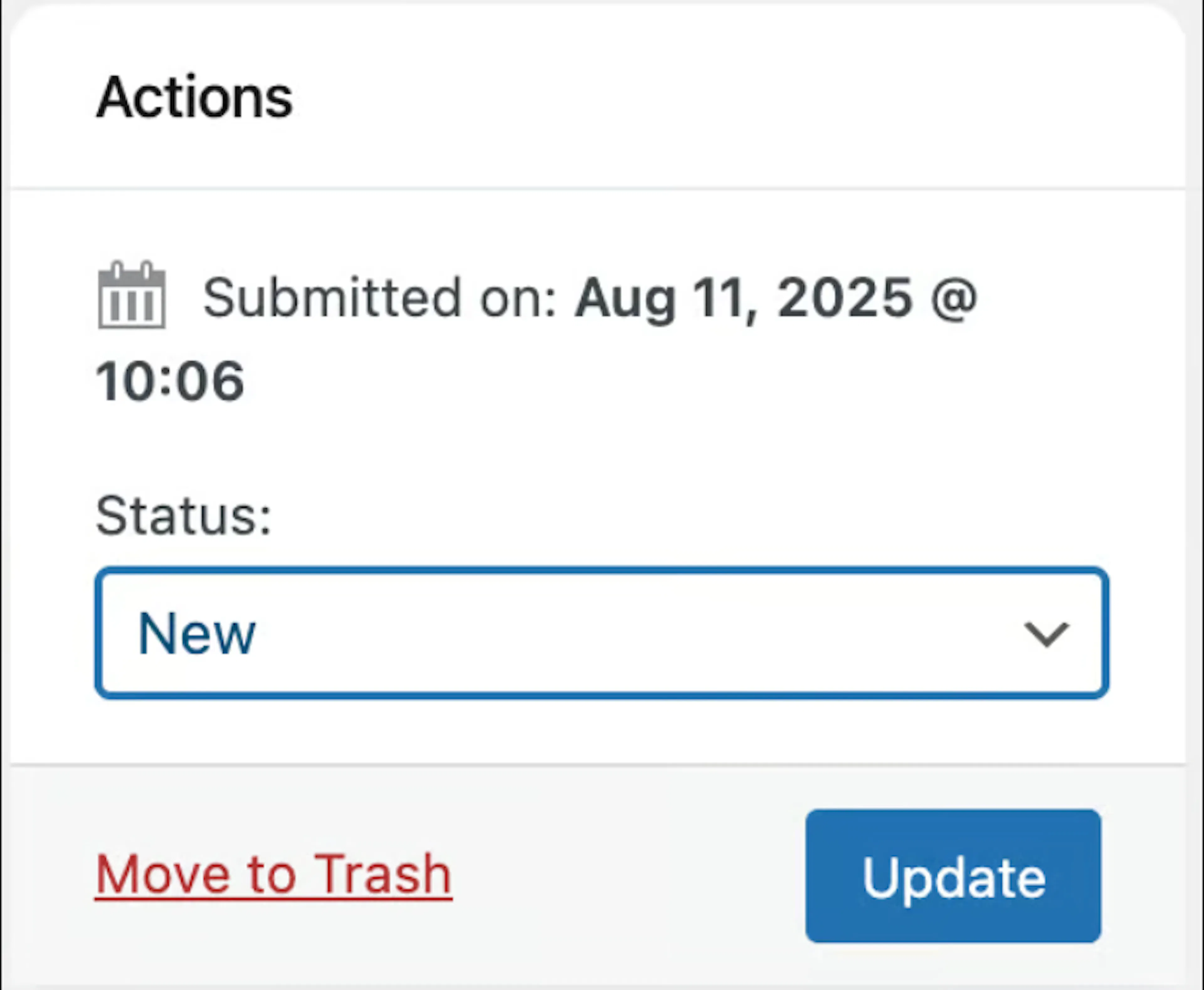
Application status can be changed on the right side to New, In Progress, Shortlisted, Rejected, or Selected.
Application Notes(PRO)
-
You can make a note of the things you want to remember about the candidate — like if they are suitable for another post or if they are overqualified, etc.
-
The action menu (⋮) on the right provides options to edit or delete notes as needed.
Mailing the Candidates(PRO)
Compose Mail
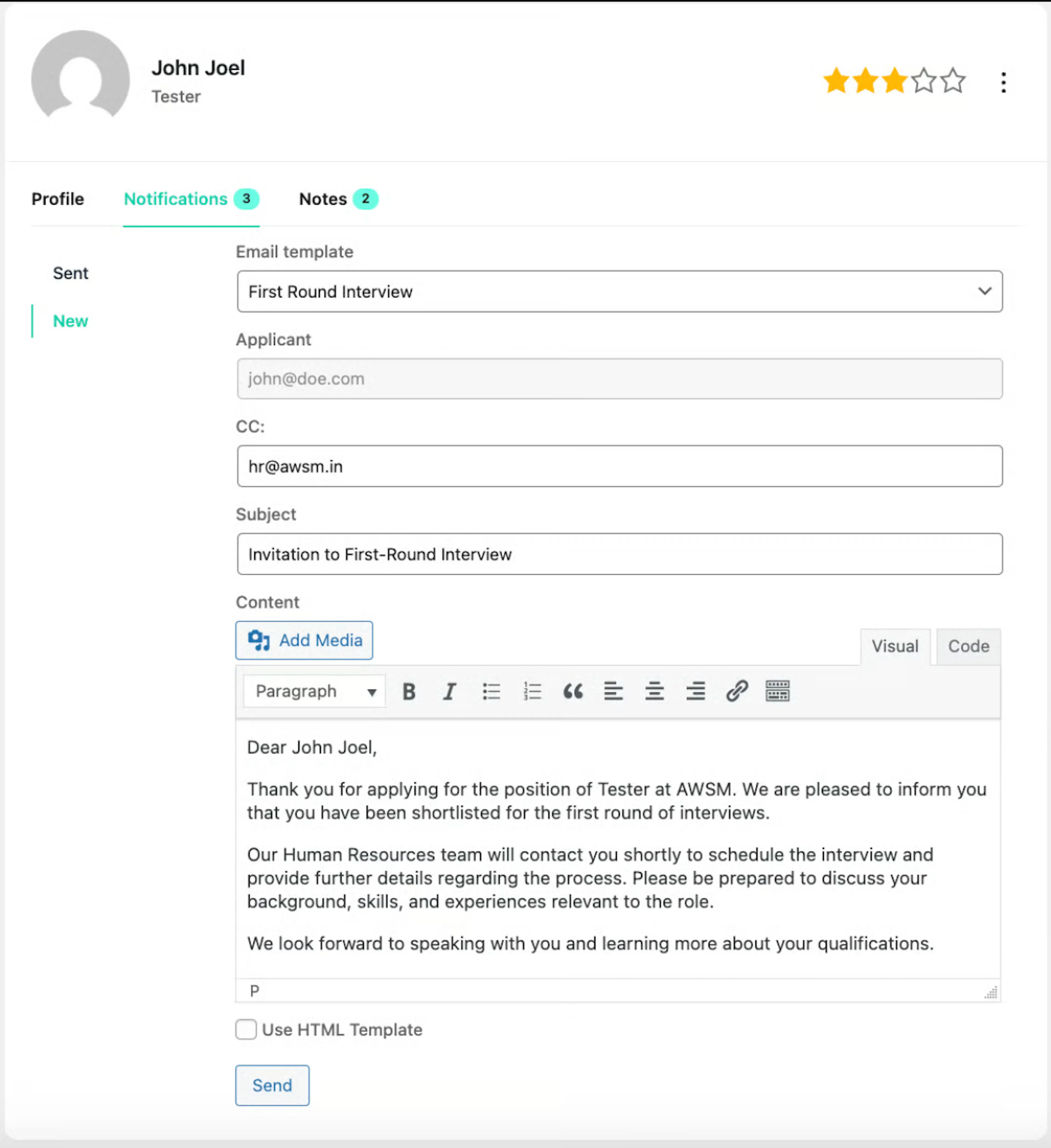
To mail the applicants, you can select any email template you have created in the Templates option under Settings → Notifications → Templates tab.
Sent Mail
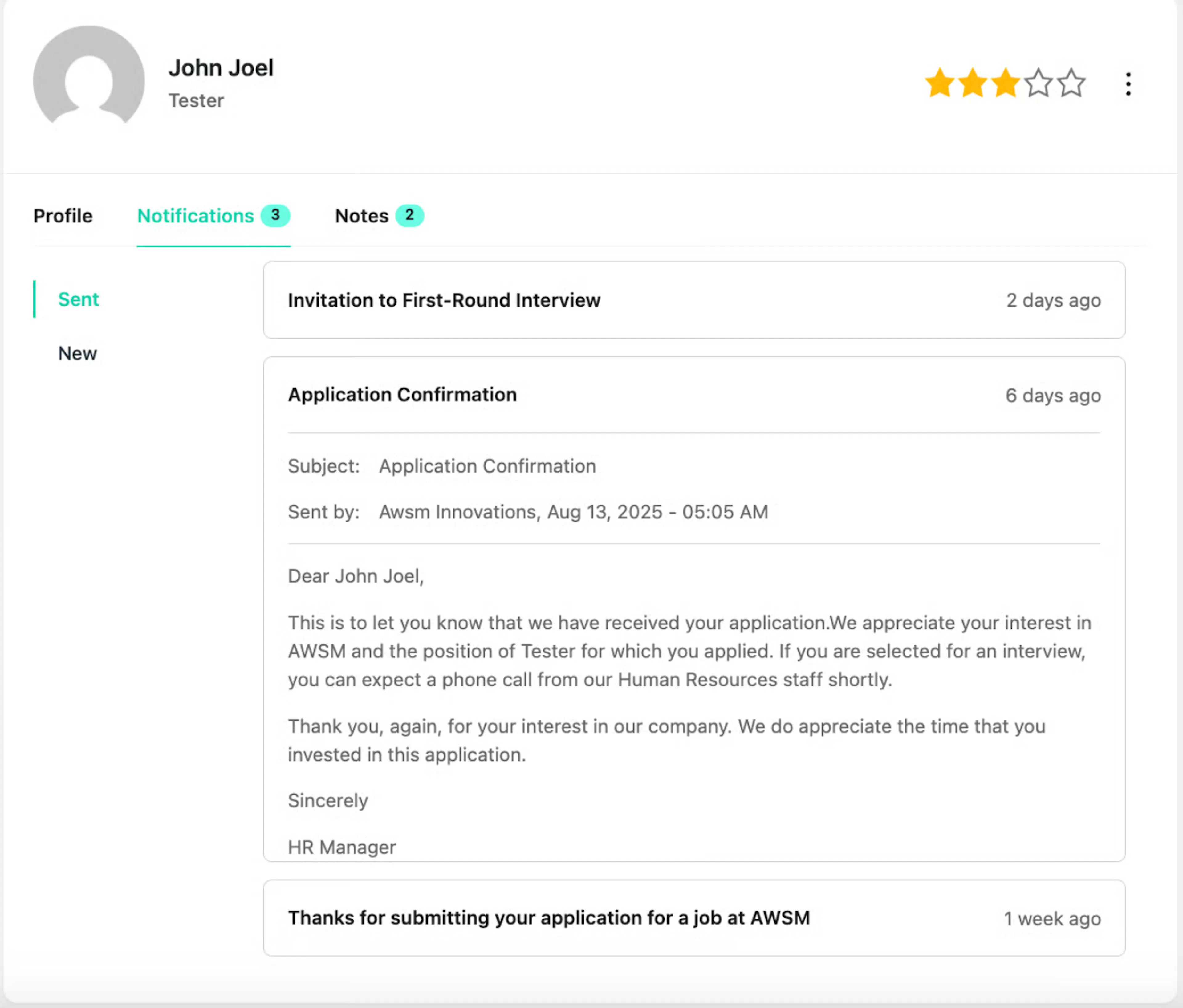
Shows all the emails you have sent to the candidate.
Activity Log(PRO)
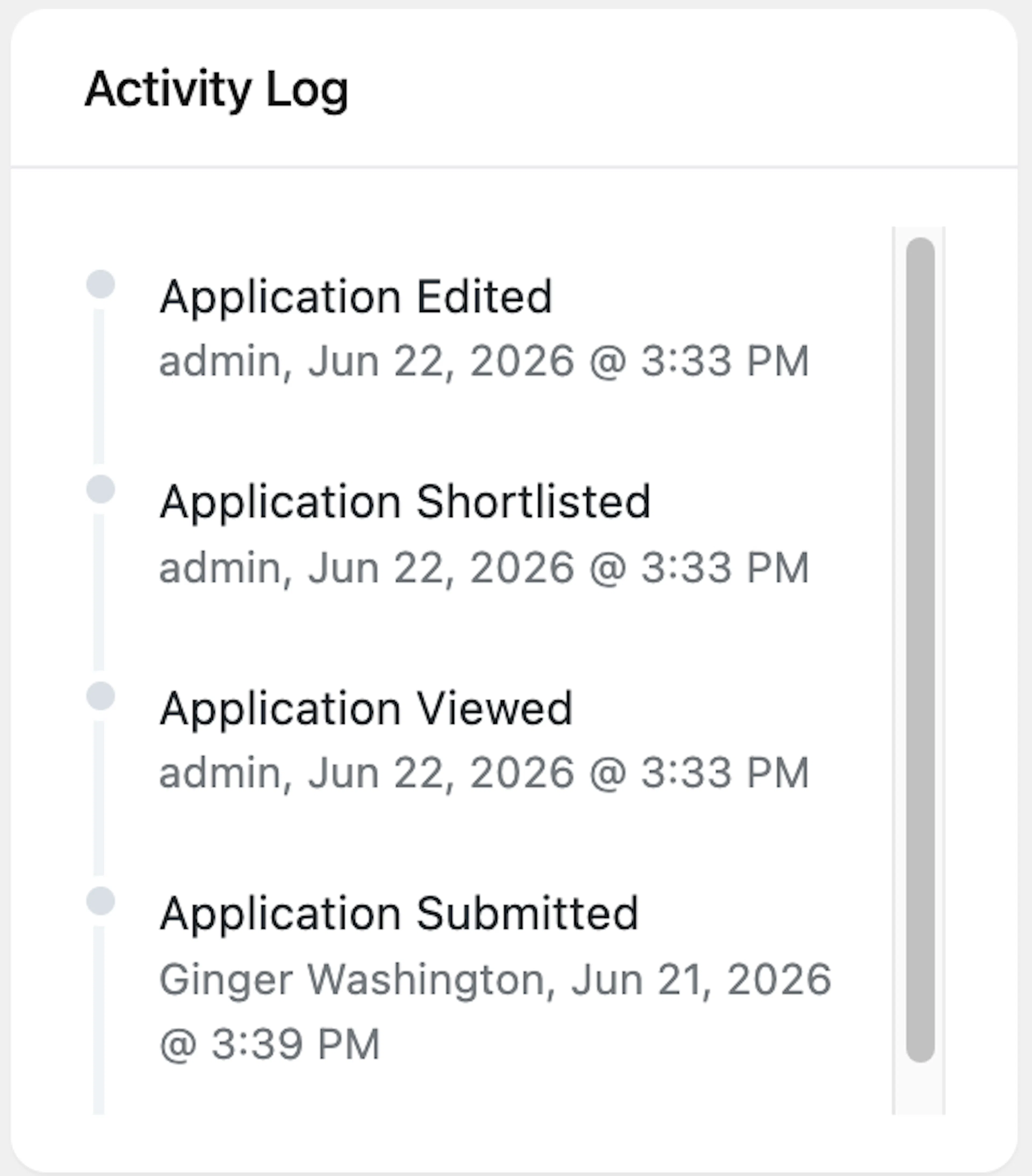
You can view a log of the applications.