

Application Listings
-
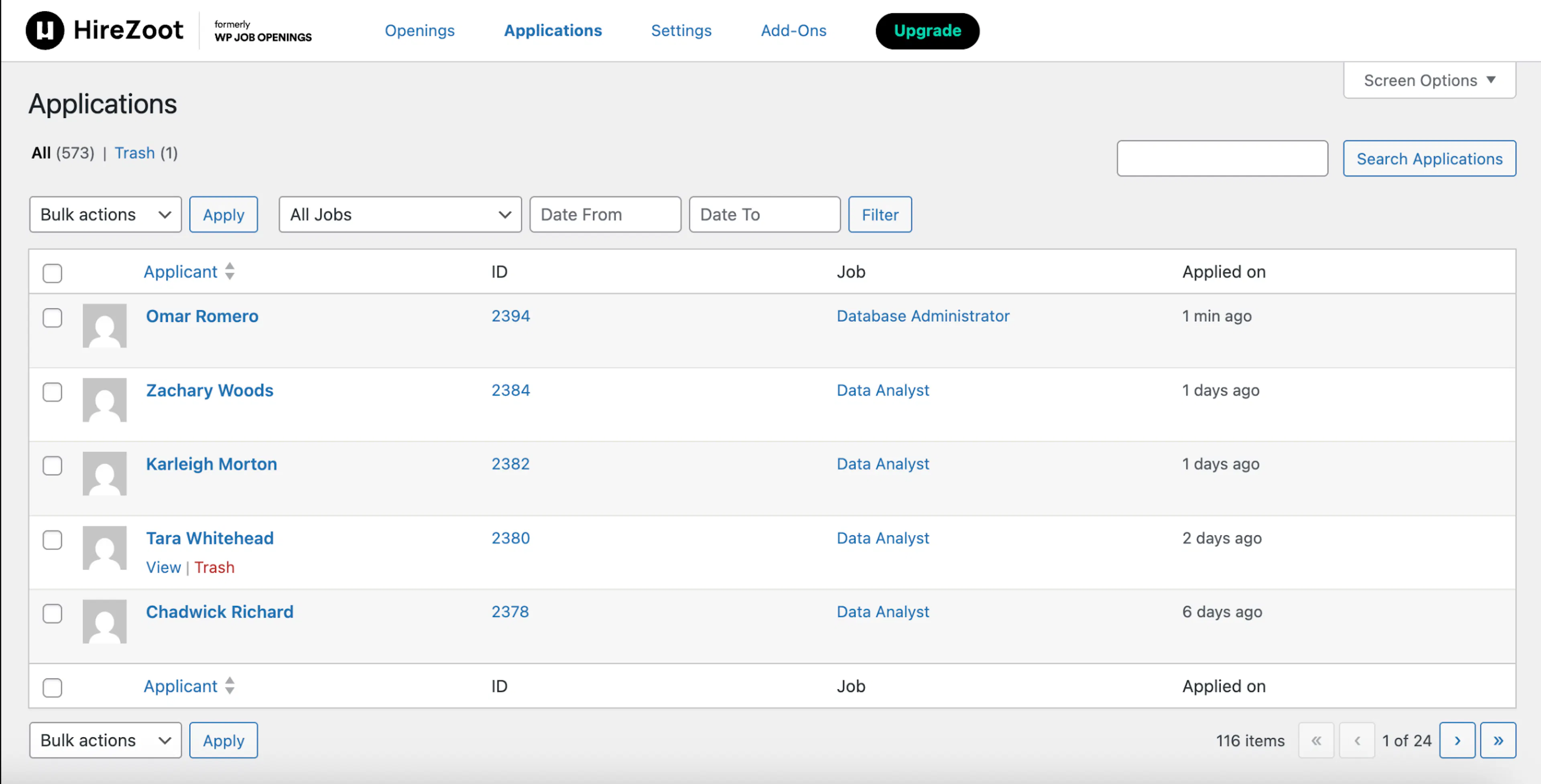
You can view all the applications received, the job they applied for, and the date they applied.
-
Click on the Applicant Name to view more detail.
-
You can filter applications by jobs and date range.
-
Newly received applications are highlighted for easy identification.
New Applications Count
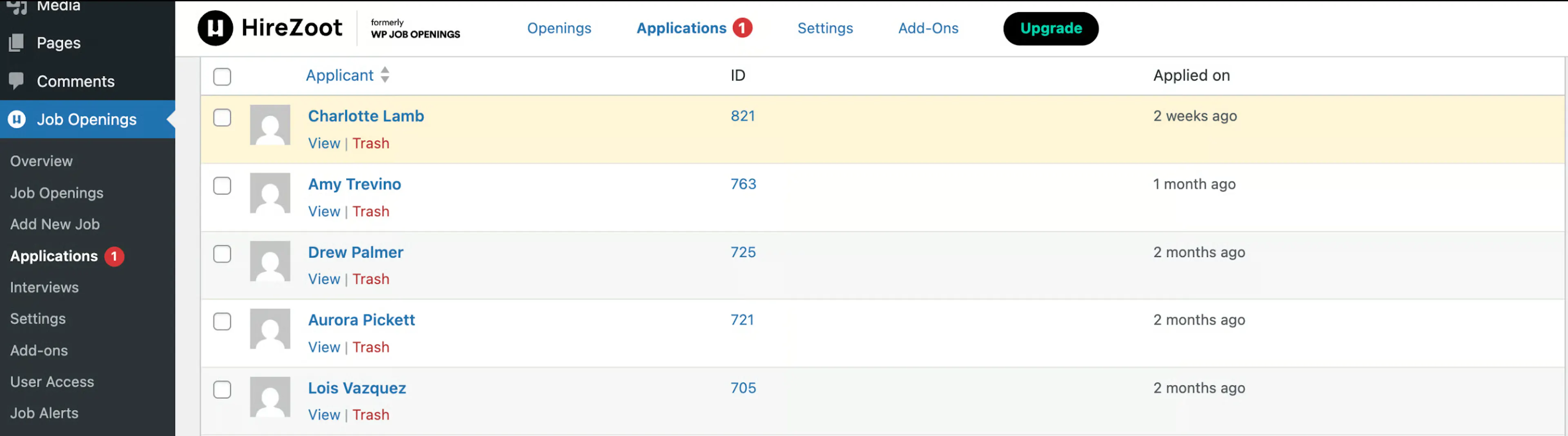
- You can see the count of new applications in two places — next to the 'Applications' option in the sidebar menu and in the top settings bar.
Application Listings(PRO)
-
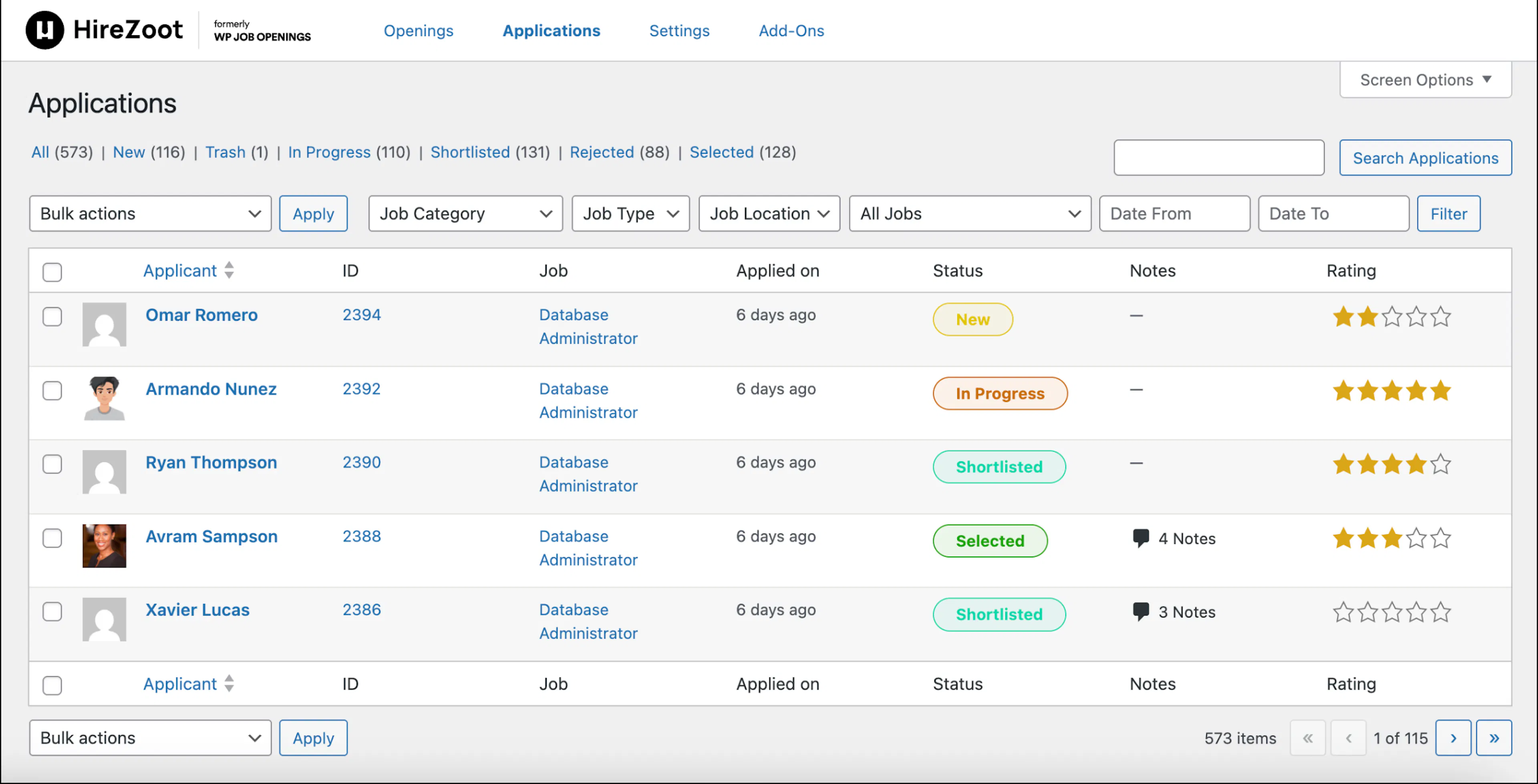
You can filter the list of applications by choosing any Job Specs and date range.
-
You can view the status and rating of applications in admin lists.
-
Restore the application from the trash to its previous status.
Bulk Action(PRO)
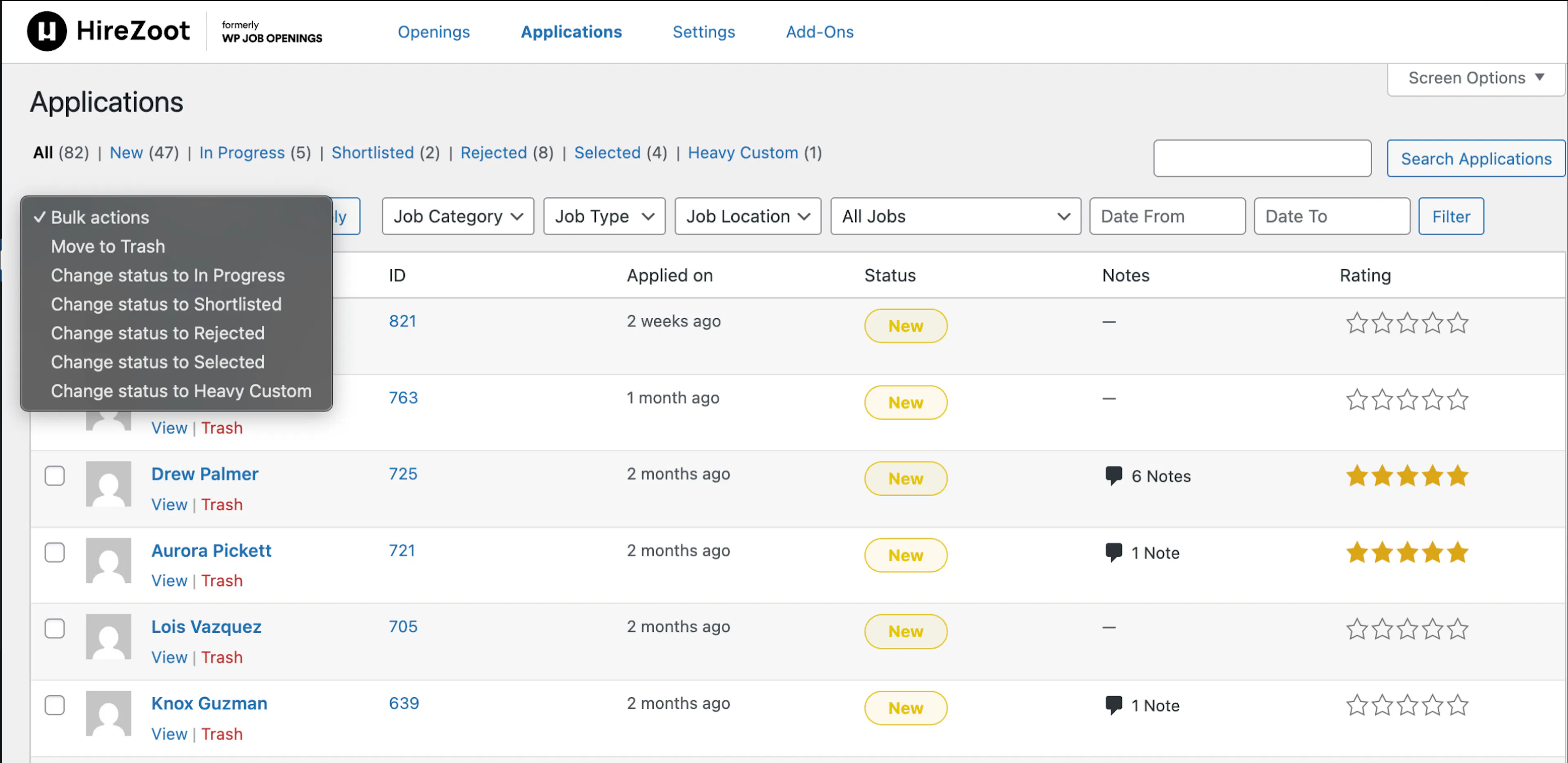
- You can change the application status using the bulk action option.
Was this page helpful?