

Appearance
Job Listing Page
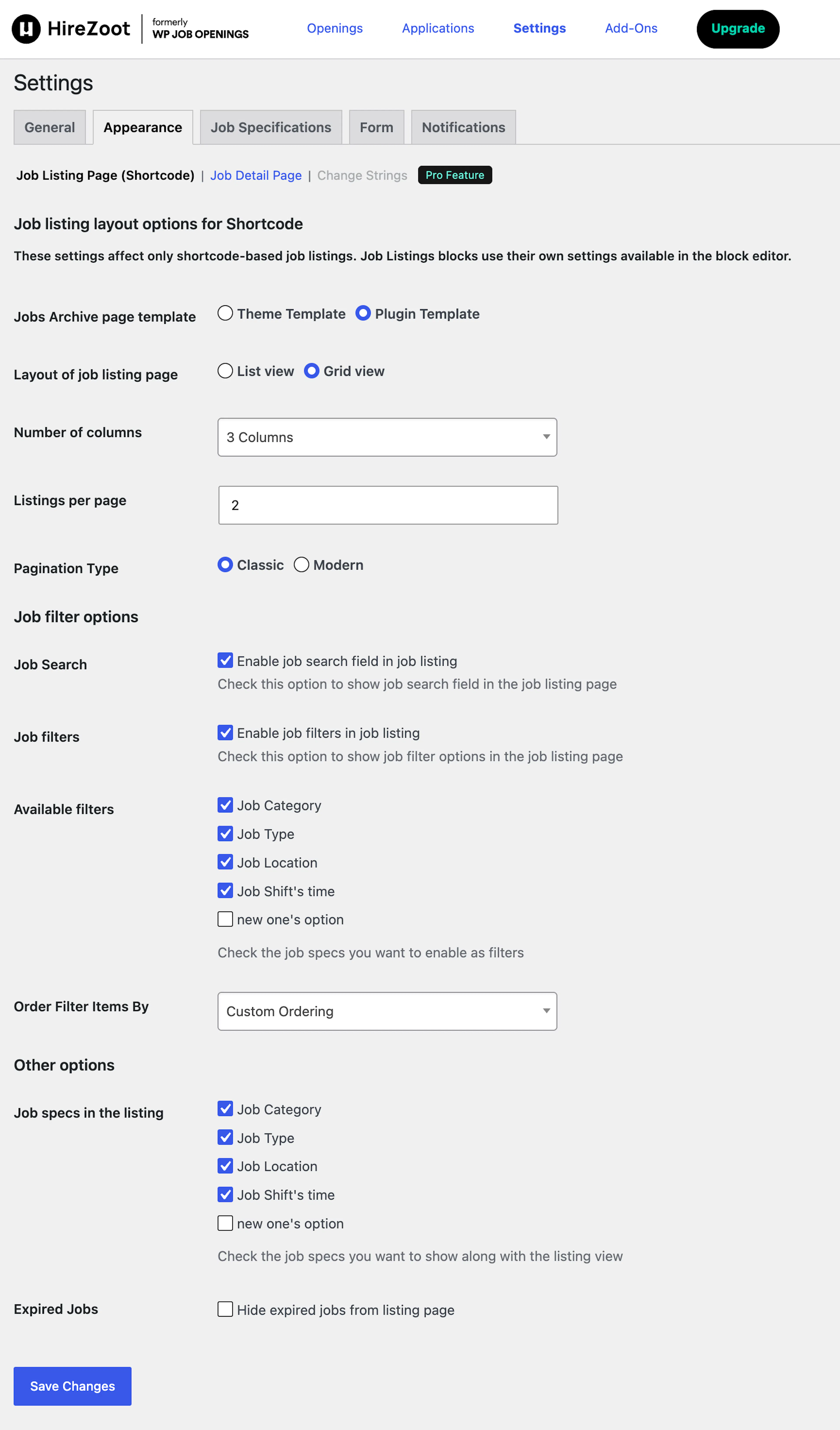
You can select the List view or grid view. This is reflected in the front-end view of the applicants.
- List View
- Grid View
Select the number of columns to display your job posts.
Number of Job listings you want on a page. It can be from one to any number.
You can select the classic or modern pagination.
This feature enables each of the terms under Job Specs to act as filters.
You can choose any of the Job specs you want to act as filters.
Select the order for filter items. This affects the shortcode job listing and job detail page.
- Custom Ordering
- Alphabetical (A → Z)
- Alphabetical (Z → A)
Other Options
Select the job specs you want to show in the job listings.
Select it if you want to hide expired jobs from candidates viewing your job openings.
Job Detail Page
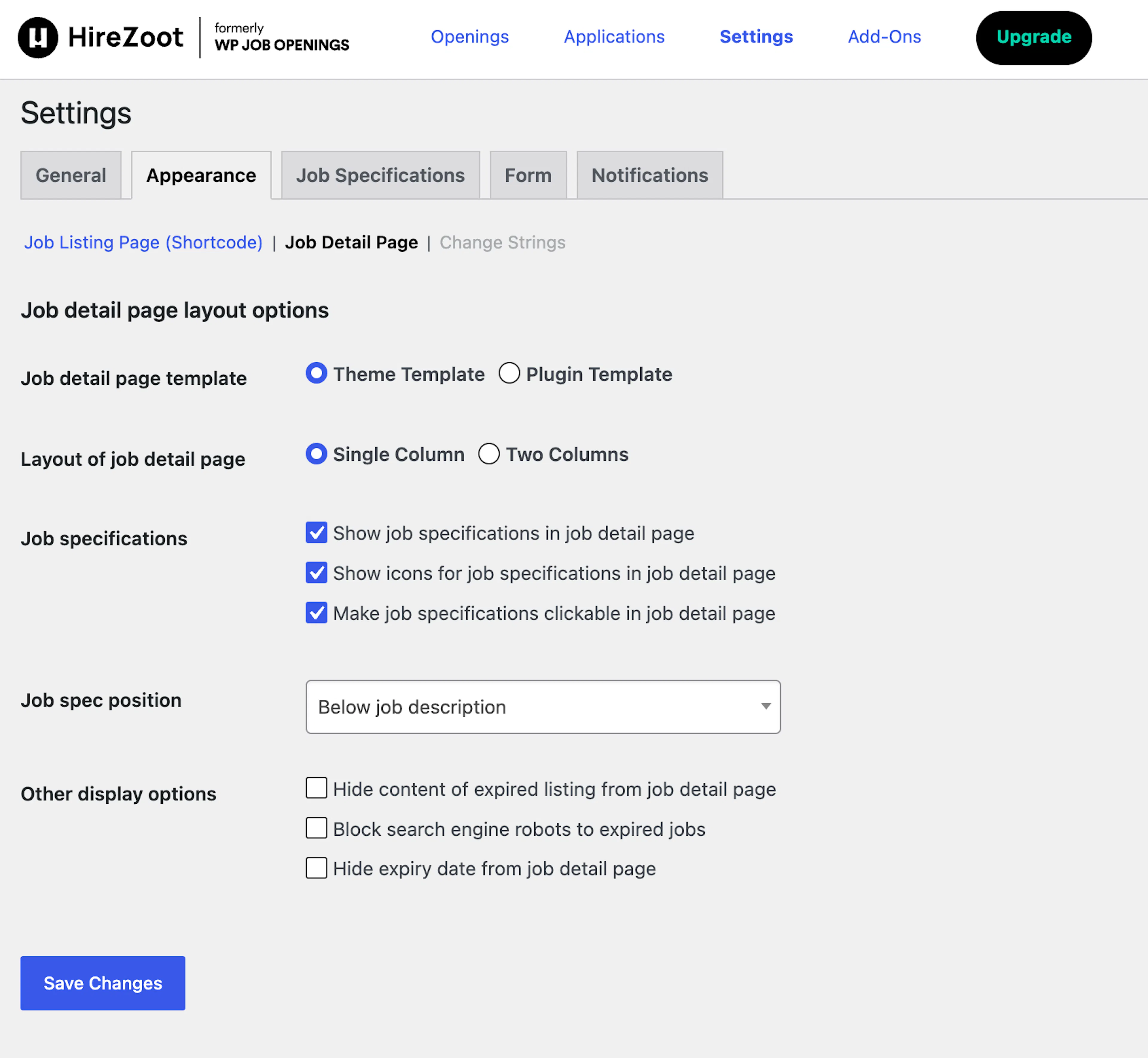
There are two available options – Theme Template and Plugin Template.
You can select one or two columns as you like Job Listing Page.
Click on any/all three options to customize Job specifications.
- You can show job specifications
- Icons for job specifications
- Make job specifications clickable in the job detail page
You can give it above or below the job description.
Other display options
You can customize expired job listings here.
You can Hide content of expired listing from job detail page.
Block search engine robots to expired jobs.
Hide expiry date from the job detail page.