

Job Specifications
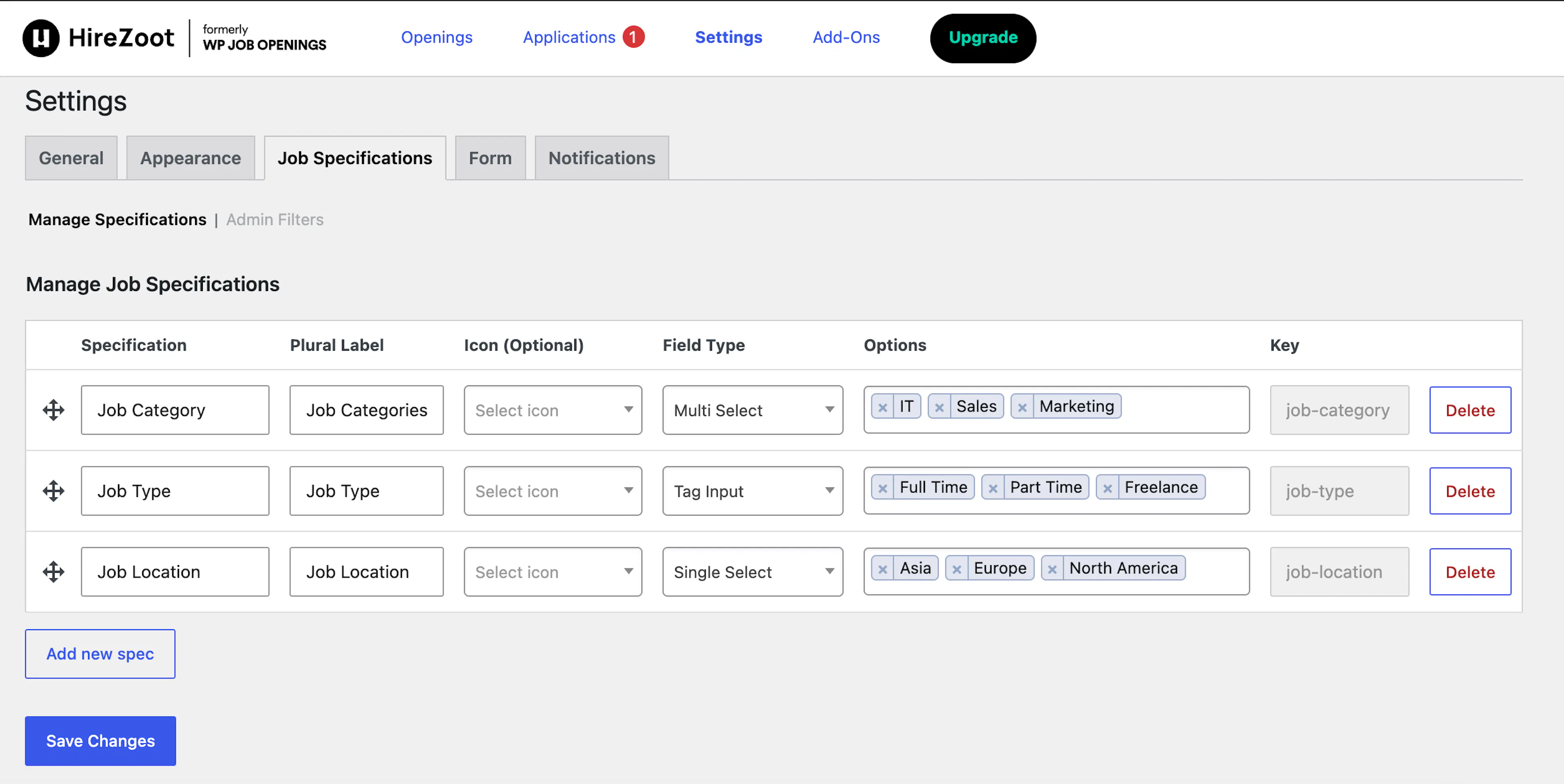
There are 3 default specifications: Job Category, Job Type and Job Location.
You can add as many specifications as you like by clicking on the Add New Spec Button and the Key is filled automatically.
The plural label is automatically pre-filled with the singular label for existing specifications. You can change it to a custom plural form if needed.
Choose how users interact with this specification on the job edit page. Three options are available:
- Tag Input (default): The current style for the job edit page. Users can select existing options and add new ones.
- Single Select: Users can select only one option from the available options.
- Multi Select: Users can select multiple options, but cannot add new options from the job edit page.
You can select the Icon of your choice from the drop-down menu.
For each specification, you can provide unlimited options by clicking the Enter Key.
To delete any specification, use the Delete button on the right.
The specifications can be rearranged using drag-and-drop if the Order Filter Items By option is set to Custom Ordering.