

General
Configure company details, job page behavior, URL settings, notifications, and data handling for the General settings page.
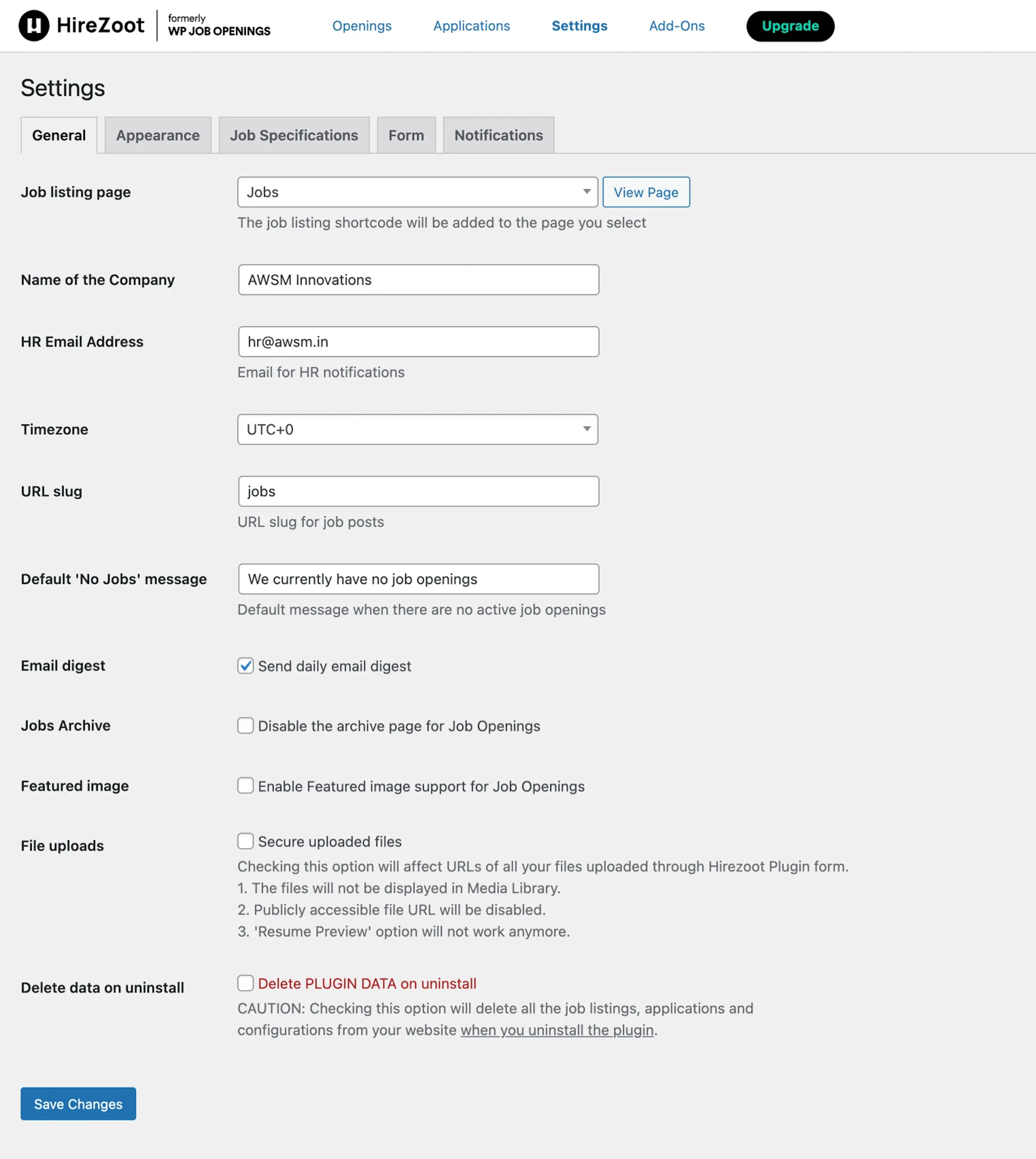
General settings
Use these settings to control how job listings appear, how notifications are sent, and how the plugin handles URLs, uploads, and cleanup.
Select the page where you want your job listings to be visible to candidates. After you select a page, a View Page button appears. The Jobs page is the default page.
Enter your company name.
Enter the email address for HR.
Select the timezone used for job expiration.
Enter the URL slug for job posts.
Turn this on to remove the custom permalink front base.
Enter the message to display when there are no active job posts.
Turn this on to send a daily overview of job listings to the HR email address.
Turn this on to disable the archive page for job openings.
Turn this on to add an image to each job.
Turn this on to change the URLs of files uploaded through the Hirezoot Plugin form.
The files will not be displayed in Media Library. Publicly accessible file URL will be disabled. Resume Preview will not work anymore in the Resume Viewer Addon.
Turn this on to delete all job listings, applications, and configurations from your website when you uninstall the plugin.