

Job Listings – Admin
-
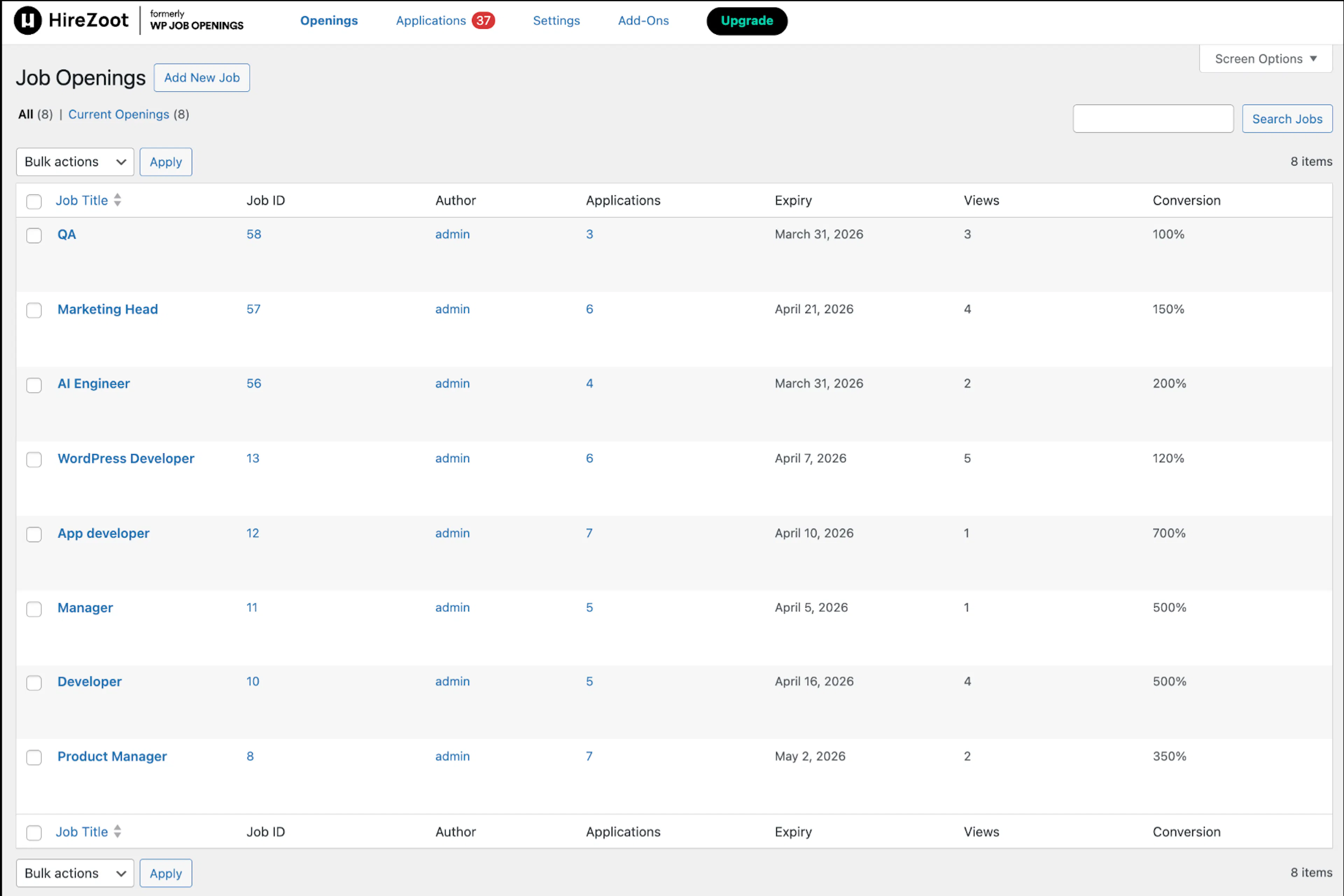
You can view the job listings, job id, number of applications for each job, expiry date, views of jobs, and conversion ratio ( Number of Applicants/Number of Viewers*100 ).
-
Here you can quickly edit job details such as title, status, or expiry using the Quick Edit option.
Job Listings - Admin(PRO)
-
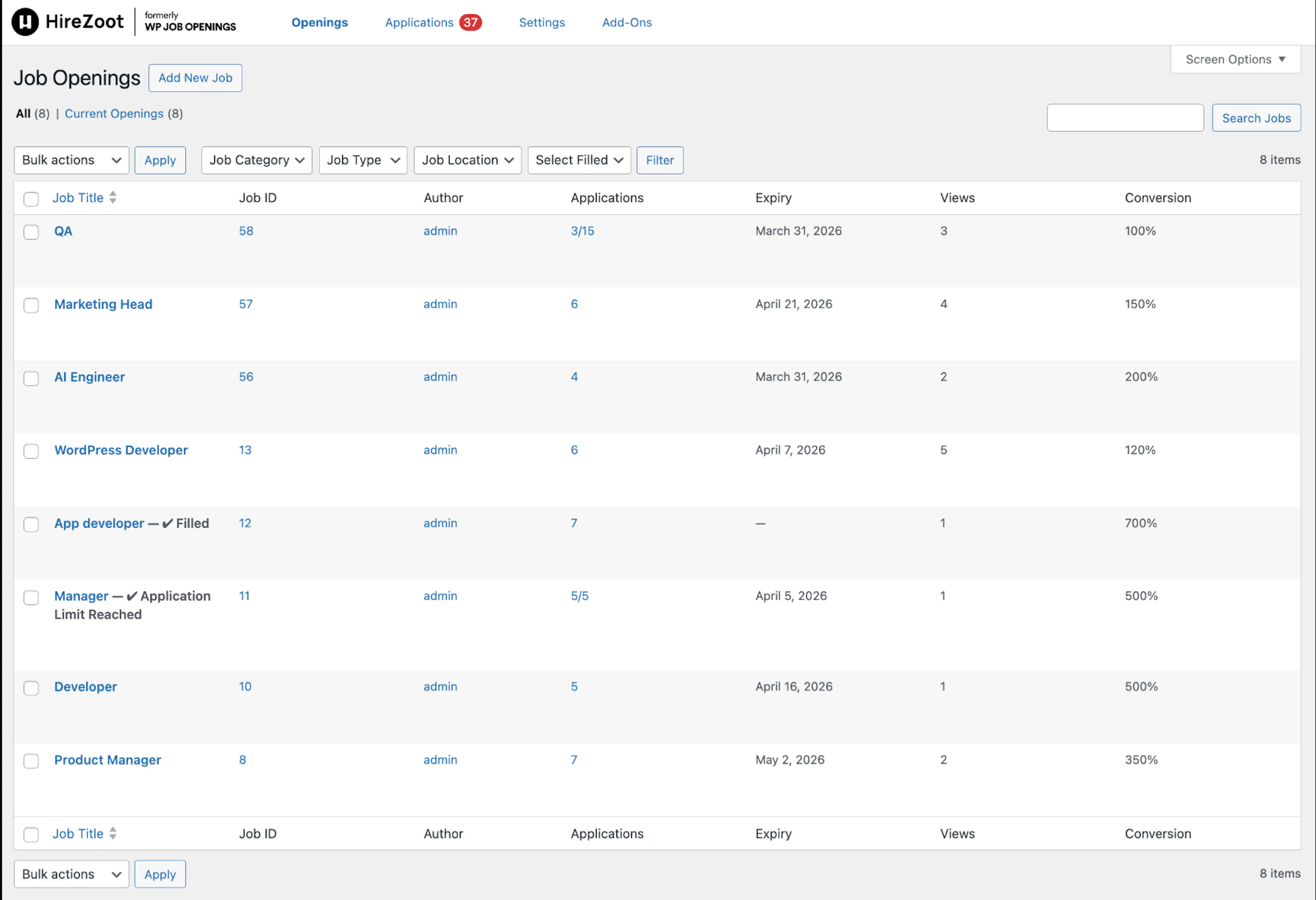
You can choose any of the Job specs you want to filter job openings and you can also filter jobs by filled and not filled.
-
In the job listing, applications that have reached their limit are clearly highlighted with an “Application Limit Reached” flag. For jobs with a limit set, the application count is displayed in the format current / maximum for easy tracking.
-
If a job has expired, it will be marked with an “Expired” flag, ensuring you can quickly identify postings that are no longer active.
-
For positions that are already filled, a “Filled” flag is displayed, giving you instant clarity on closed opportunities.