Layout Settings
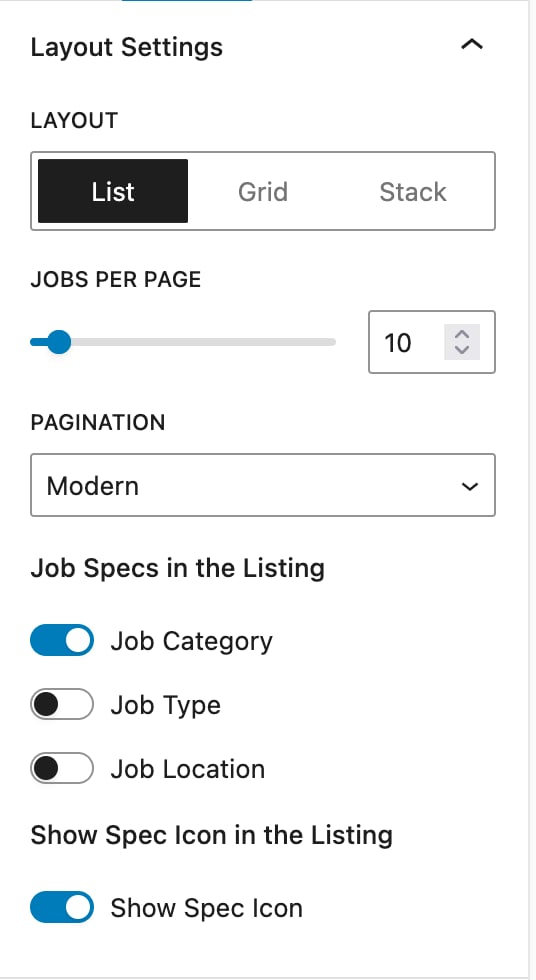
Customize the layout style, pagination, jobs per page, and job specification display for the Job Listings block.
The Layout Settings section provides options to customize the overall appearance and structure of the job listings. You can choose the preferred layout style for displaying jobs, with available options including List, Grid, and Stack formats (Stack is a Pro feature available to Pro users only), depending on how you would like the listings to be presented.
Additionally, the Jobs per Page setting allows you to specify the number of job listings displayed on a single page. To manage navigation between pages, you can select from two pagination styles: Modern or Classic, offering flexibility in both visual design and user experience.
There is also an option to display Job Specifications directly within each job listing, enabling users to quickly view key details without opening the full job description. Furthermore, you can choose to show or hide icons for each specification, allowing additional control over the visual presentation of the specifications.
Stack Layout is a Pro feature and is available to Pro users only. Upgrade to HireZoot Pro to access this layout option.