

Search & Filters
Search and Filters
The Search and Filters setting enhances the block by providing a dedicated filter section. When enabled, you can choose whether the filters should appear at the top of the block or in the sidebar, depending on your layout preference.
The filters section will automatically display all available filter options, allowing users to refine their results with ease.
Filter placement
Choose where the filter section appears within the block:
-
Top — displays filters above the job listings.
-
Sidebar — displays filters alongside the job listings.
Filter selection mode
You can also configure how users interact with filters:
-
Single Select — allows users to choose only one filter option at a time.
-
Multi Select (Pro) — allows users to apply multiple filter options simultaneously. This option is available to Pro users only.
This flexibility ensures that the block can be adapted to a wide range of use cases, whether you want a simple, focused search or a more advanced multi-filter experience.
Specification order
There is also a dropdown to choose the order in which the job specifications appear within the filter section. This allows you to control the sequence of available filters, helping prioritize the most relevant specifications for your users.
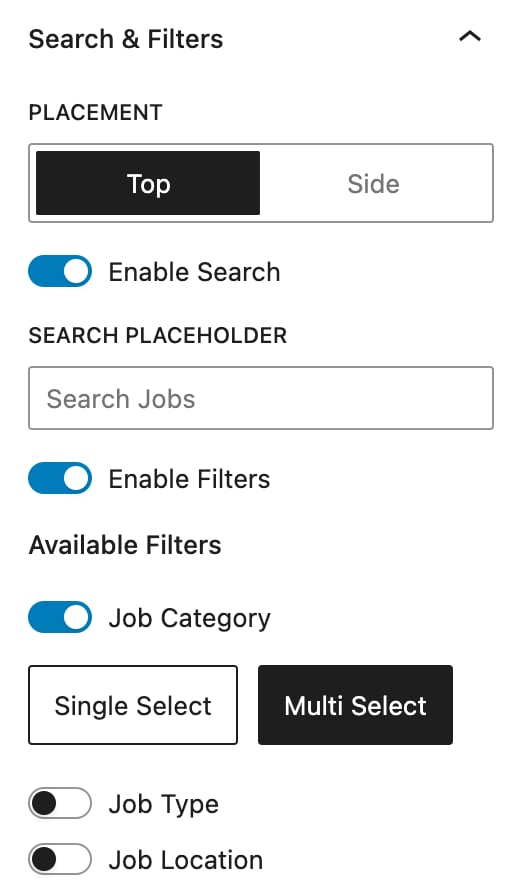
Image options