Sidebar
Configure the sidebar width, spacing, borders, and colors for the Job Listings Beta block to match your site's layout and branding.
Configure the sidebar area
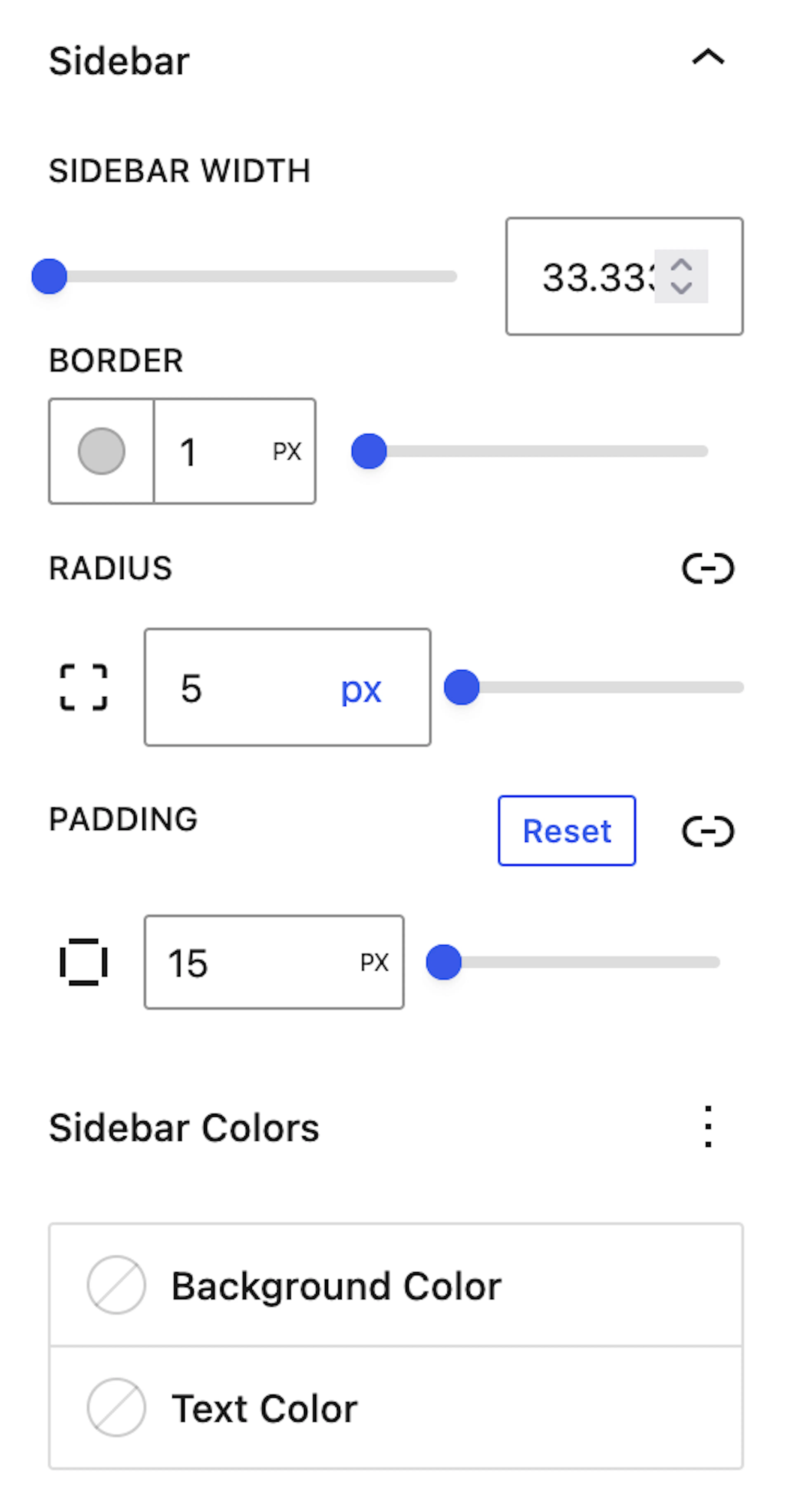
The Sidebar Settings section allows you to configure the appearance and layout of the sidebar area.
Sidebar width
Set the Sidebar Width to control how much space the sidebar occupies beside the job listings. The layout adjusts dynamically so the job listing area stays balanced and well aligned.
This helps keep both the sidebar and the job listings visually structured and easier to scan across different page layouts.
Adjust the sidebar width with the surrounding page layout in mind. A balanced width helps the sidebar remain useful without crowding the job listings.
Border and spacing
Use Border, Border Radius, and Padding to refine the sidebar's overall shape and spacing. These settings help you match the sidebar to your website's design and create a clean, professional appearance.
-
Border adds definition around the sidebar area.
-
Border Radius softens or sharpens the sidebar corners.
-
Padding controls the internal spacing between the sidebar content and its edges.
Together, these settings help the sidebar feel visually integrated with the rest of your site rather than separated from it.
Colors
Customize the Background Color and Text Color of the sidebar area to align it with your site's theme and branding. These controls give you flexibility to make the sidebar either blend in with the page or stand out as a supporting content area.
Choose colors that preserve readability and contrast so sidebar content remains clear and easy to use.